Suunto Run Heart Rate Accuracy Tested
You’re halfway through an easy run when the heart rate on your wrist suddenly jumps, even though your pace and breathing haven’t changed. Moments like that can make you question whether your Suunto Run is capturing a useful effort reading or reacting to movement, fit, temperature, or skin contact.
This guide examines Suunto Run heart rate accuracy in real-world conditions, including steady runs, intervals, cold-weather training, strength sessions, and races. The watch’s optical sensor can provide useful day-to-day feedback, but wrist-based readings won’t match a chest strap in every situation, especially when intensity changes quickly or your arms move in unusual ways.
You’ll also see which testing factors matter, how to set up the watch for a cleaner signal, and why spikes, dropouts, or delayed readings happen. By comparing the results with your training goals, you can decide whether the Suunto Run is accurate enough for your needs or whether a chest strap makes more sense. First, we’ll look at how the watch measures heart rate and what can affect the signal during a run.
What Suunto Run Heart Rate Accuracy Means in Daily Training
Suunto Run heart rate accuracy is best judged by how well the watch supports your training decisions, not by one universal percentage. A useful reading should follow your effort, remain reasonably stable during steady work, and place you in sensible heart rate zones across a complete workout.
A chest strap measures the heart’s electrical signals through electrodes against your skin. The Suunto Run uses an optical wrist sensor, so it measures the pulse indirectly. That difference matters most when your effort changes quickly or your wrist moves a lot.
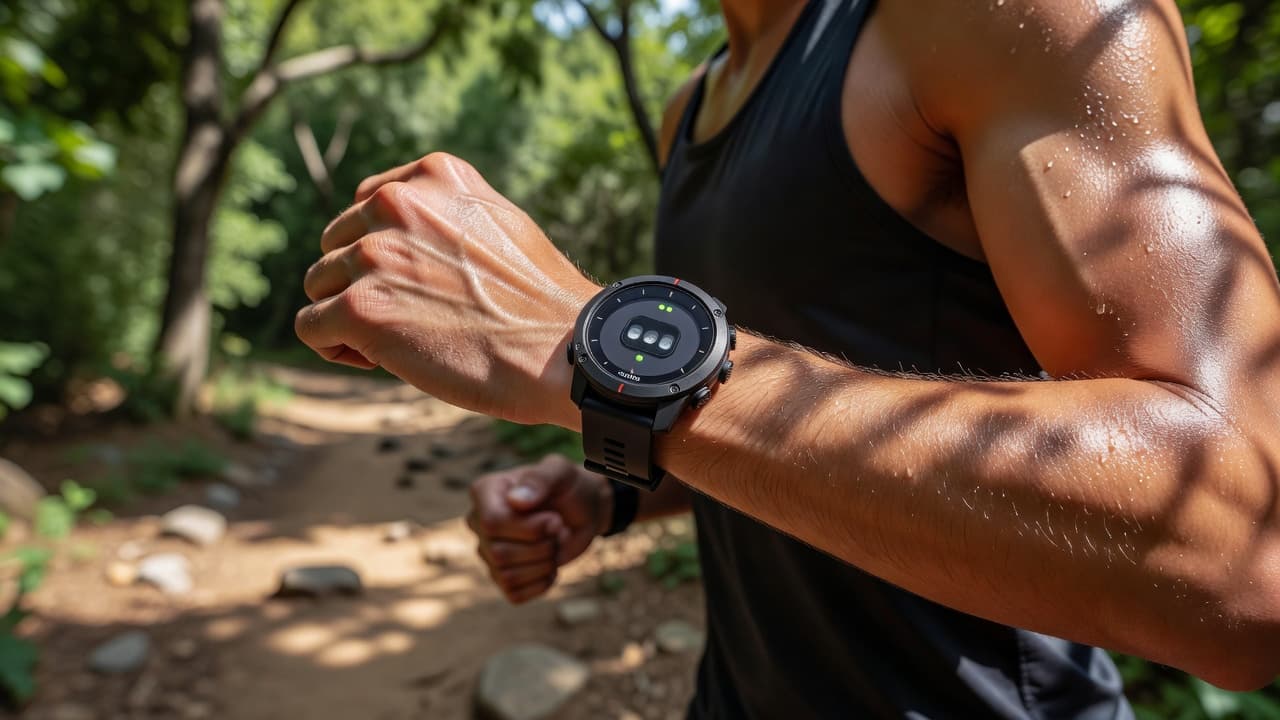
How the Suunto Run optical sensor measures your pulse
The optical sensor shines green light into your skin. Blood absorbs some of that light, while the amount reflected back changes as blood moves through the vessels with each heartbeat. The watch analyzes those changing reflected signals and estimates your beats per minute.
That process sounds simple, but the wrist is a difficult measurement point. Tendons, bones, loose skin, sweat, hair, tattoos, and changing blood flow can all affect the signal. Cold weather can narrow blood vessels near the skin, while a loose band lets outside light enter and allows the watch to shift with every arm swing.
The watch may also need time to lock onto a stable signal. When you start running, your arm movement changes suddenly, your skin may be cold, and your circulation has not yet settled into a steady pattern. As a result, the first readings can lag, jump, or take several minutes to resemble your actual effort.
Wear the watch snugly, about a finger’s width above the wrist bone. It should stay in place without causing discomfort. A cleaner fit gives the sensor a steadier target, but it cannot remove every limitation of wrist-based measurement.
 Heart rate also differs from the other training numbers shown in the Suunto app or on the watch. These metrics describe related parts of exercise, but they are not interchangeable:
- Heart rate is an estimate of beats per minute at a given moment.
- Calories are an estimate of energy expenditure based on inputs such as heart rate and movement.
- Training load summarizes the strain of a workout over time.
- Heart rate variability measures changes in the timing between beats, usually during rest or recovery.
A steady heart rate does not prove that calorie or training-load estimates are equally precise. Treat each metric as a separate data point, and compare it with pace, breathing, and how the session felt.
When wrist readings are usually most dependable
Optical readings often perform best during steady outdoor runs, easy aerobic sessions, and workouts with consistent pacing. Your arm motion stays predictable, the intensity changes gradually, and the watch has enough time to maintain contact with your skin.
For example, a 40-minute easy run provides a better test of daily usefulness than a single glance during the first 30 seconds. Look for a stable pattern over several minutes. Does the heart rate rise gradually as the pace increases? Does it settle when you slow down? Those patterns tell you more than one isolated spike.
Temperature and fit still matter. Warm skin, a secure band, and relaxed arm movement can help. Cold air, frequent stops, hills, and tight sleeves can produce a less consistent trace.
Individual results matter more than general expectations. Runners with different skin contact, wrist shapes, pacing habits, and workout styles may see different results from the same watch. Community reports, such as Suunto Run HR accuracy discussions, can reveal useful patterns, but your own comparison against breathing, pace, or a chest strap remains the better test.
The Conditions That Can Make Suunto Run Heart Rate Less Accurate
Suunto Run heart rate accuracy can change with the workout, weather, clothing, and even the way you hold your hands. A wrist sensor usually handles steady running well, but sudden effort changes and heavy wrist movement can produce spikes, flat lines, delayed rises, or readings that seem too low. These results don’t always mean the watch is faulty. Often, the optical signal has become harder to read.
Intervals, hills, and fast changes in effort
During a sprint or short interval, your heart rate can rise quickly, but the watch still has to detect that change through moving skin and blood vessels. The optical sensor may need several seconds to recognize a new pattern. As a result, the number can stay low at the start of a hard effort, rise after you slow down, or jump suddenly to an implausibly high value.
Hill repeats create a similar problem. You may increase effort sharply while your pace drops, so the watch has less obvious movement data to match with the rising heart rate. Arm tension adds another source of noise. Gripping the watch, clenching your fists, or driving your arms aggressively can change contact between the sensor and your skin.
Repeated arm swing can also make the watch shift slightly on your wrist. That movement may appear as an unstable pulse signal, especially when an interval includes fast acceleration, a turn, or a steep climb.
Compare the reading with your breathing and perceived effort during these workouts. If you feel controlled but the screen suddenly shows an extreme spike, treat that value cautiously. For precise interval timing and heart rate analysis, pair the Suunto Run with a compatible chest strap. Suunto also recommends an external sensor when you need quicker responses to heart rate changes, as explained in its guide to Suunto Run optical heart rate.
Cold weather, sweat, tattoos, and skin contact
Cold conditions can make early-run readings unreliable because blood flow near the skin decreases. The display may show a heart rate that stays unusually low, jumps between values, or rises several minutes after your effort has already increased. Heavy sweat can create a slippery layer beneath the watch, while sunscreen may interfere with clean contact between the sensor and your skin.
Body hair and tattoos can also reduce the quality of the light signal. A loose band lets the watch bounce and allows outside light into the gap. An overly tight band creates pressure and can affect local blood flow, so tighter isn’t always better.
Before running, warm up indoors or cover the watch until your skin feels warm. Clean sweat, sunscreen, and dirt from the sensor, then dry your wrist. Wear the watch slightly above the wrist bone, snug enough that it doesn’t slide when you swing your arm. Suunto’s wrist heart rate accuracy guidance also stresses direct skin contact with no visible gap.
Cycling, strength training, and everyday movement
A steady run gives the sensor a fairly predictable rhythm. Cycling, rowing, weight lifting, push-ups, and daily tasks create a less stable setting. Gripping handlebars or a bar tightens the forearm muscles and can press the watch against the wrist. Wrist flexion may lift one edge of the case, while vibration from a bike or rowing machine adds movement that the sensor can mistake for pulse changes.
Push-ups and lifting can produce readings that remain flat, lag behind the effort, or fall to an oddly low number. The watch may work well during a regular run yet struggle during a strength session because the wrist is bent, compressed, or braced.
Use wrist heart rate for broad trends during these activities, but verify hard efforts with breathing, repetitions, and recovery. When exact values matter, a chest strap usually provides a cleaner comparison because it stays near the chest and avoids much of the wrist pressure and movement.
How to Set Up the Suunto Run for Better Heart Rate Readings
Getting consistent optical feedback starts with a solid foundation. Before you step out the door for a key run, take a moment to evaluate your hardware setup, personal fit, and device preparation. Small adjustments in how you wear the watch and configure your settings can eliminate erratic spikes and give you much cleaner pulse data.
Wear the watch in the right position and fit
Position the watch slightly above your wrist bone. This placement keeps the device away from the bony prominences that can lift the case during arm swing. The sensor needs full, uninterrupted contact with your skin to capture light reflections accurately.
Test your setup by moving your wrist through its full range of motion. If the watch slides around, gaps open between the sensor and your skin, or it leaves deep pressure marks, you need to adjust the strap.
- Tighten the band by one notch if the watch shifts during a normal arm swing.
- Loosen the strap slightly if you notice numbness or skin irritation after hard efforts.
- Check that outside light does not slip underneath the casing during movement.
Wear the band securely, but don’t pull it so tightly that it restricts circulation or causes discomfort. After you finish exercising, loosen the strap to let your skin breathe and recover.
Prepare the sensor, skin, and workout profile
Clean the optical sensor and your wrist before every workout. Sweat, sunscreen, lotion, and dust residue block green light and scramble the reflected pulse signals. Give the watch a minute or two to establish a stable reading before you push the pace. Standing still for a short warmup lets the internal algorithms lock onto your resting pulse.
Choose the correct sport mode in your settings menu. Selecting the running profile helps the watch interpret accelerometer and GPS data alongside pulse inputs, even though a profile cannot completely overcome optical sensing limits. If you plan to use an external heart rate monitor for maximum precision during intervals, verify that the chest strap connects successfully in the device settings before you start recording.
Keep firmware and sensor connections under control
Install official software updates whenever Suunto releases them. These updates frequently refine sensor algorithms and resolve connection bugs. Restart your watch if it behaves strangely or fails to sync with accessories.
Check your battery level and sensor status before a key workout. Bluetooth interference, nearby electronic devices, or a loose chest strap can introduce confusing dropouts into your workout file. Maintain your hardware by keeping contacts clean and pairing external monitors properly, and your Suunto Run heart rate accuracy will consistently support your training goals.
How to Test Suunto Run Heart Rate Accuracy at Home and on the Road
Evaluating optical wrist sensors requires a systematic testing method. Because casual glances during a workout often mislead, you need a repeatable framework to judge Suunto Run heart rate accuracy against reliable baselines. Real-world training involves changing terrain, fatigue, and weather, so your testing should mimic those exact variables.
Use a chest strap as the stronger reference
Optical sensors struggle with fast changes in effort because blood flow changes take time to register at the wrist. Chest straps measure electrical impulses directly from the heart, making them far better suited for interval work and rapid surges.
Before starting your test, moisten the strap electrodes and secure the band tightly beneath your pectoral muscles. Pair the strap to your watch and check that the connection icon appears solid on the screen. Keep in mind that this comparison is a practical field test rather than a clinical laboratory study. Chest straps can also drop data, lose skin contact during heavy sweat, or suffer from low battery voltage.
Run the same route with controlled effort
Consistency is the backbone of any useful gear test. Begin your evaluation with a structured protocol that covers multiple intensities over familiar terrain.
- Warm up for ten minutes at an easy, conversational pace to let your cardiovascular system settle.
- Run at a steady, moderate pace for twenty minutes on flat ground.
- Finish the session with three short, fast strides or hill repeats if your training plan allows.
- Repeat this exact route on different days under similar weather conditions to check for consistency.
Compare overall trends between your devices instead of obsessing over single-beat differences. Notice whether the optical sensor catches up within the first few minutes after you start moving.
Read the data without overreacting to one spike
Download your workout file into the app and open the graphical heart rate overlay. Compare the average values, peak numbers, and time spent in each training zone between the watch and your chest strap. Short peak discrepancies matter very little during a slow recovery jog, but delayed or unstable readings during threshold intervals require attention.
Look at your breathing rate and perceived exertion alongside the graph. If your breathing stayed calm while the watch displayed an extreme spike, the optical sensor likely suffered from cadence lock or arm movement interference.
Know when a manual pulse check is not enough
Stopwatches and neck checks offer a quick way to investigate a glaring mismatch, but manual checks cannot replace continuous recording. Stopping mid-run changes your circulation and lowers your heart rate immediately, which makes the manual count useless for verifying high-intensity intervals.
If you experience unusual dizziness, chest pain, or irregular rhythms during a workout, stop exercising immediately. Consult a qualified medical professional to evaluate those symptoms rather than relying on a fitness watch for diagnosis.
Suunto Run Wrist Heart Rate Compared With a Chest Strap and Other Watches
Wrist sensor versus chest strap for runners
Optical wrist sensing is undeniably convenient, comfortable, and useful for casual training and long mileage. The watch sits quietly on your arm, requiring no extra gear or pre-run preparation. However, optical sensors struggle when your arm muscles tense up or when blood flow shifts rapidly during strenuous efforts.
A chest strap is usually preferable for intervals, racing, structured zones, cold weather, and runners who see repeated wrist errors. Chest straps read electrical impulses directly from the heart, so they react instantly to pace changes and surges. Fortunately, you don’t have to choose just one device for your runs. Runners can use the watch for display and recording while relying on a chest strap for the heart rate signal.
How to compare Suunto Run with Garmin, COROS, Apple Watch, and Polar
A fair comparison requires the same runner, route, pace, weather, watch placement, and reference sensor. If you test two different watches on separate days, changing weather and fatigue levels will skew your conclusions.
A different brand may perform better for one person or activity and worse for another because wrist shape and skin tone affect optical tracking differently. Look for independent tests that show raw workout graphs, sensor pairings, and test conditions rather than relying only on marketing claims or star ratings. Real-world testing reveals how each device handles sudden sprints and long endurance efforts.
Choose the right heart rate setup for your training goals
Casual runners often find that wrist-based tracking offers all the data they need without extra hassle. Zone-based endurance training and interval athletes, on the other hand, benefit greatly from the precision of an external monitor. Trail runners and racers face unpredictable terrain and arm movements, making a chest strap a smart investment for pacing accuracy.
Convenience is worth more than maximum precision when you just want a general record of daily exercise. The cost of an external sensor is justified once your training relies on strict heart rate zones or precise interval recovery times. Heart rate is never the only measure of training quality, so you should always include pace, effort, recovery, and workout conditions in your overall evaluation.
Common Suunto Run Heart Rate Problems and Practical Fixes
Even reliable gear can act up during a hard effort. When your wrist reading refuses to cooperate, you need a methodical way to diagnose the problem. Optical sensors rely heavily on clear light paths and steady contact, meaning small changes in environment or fit can throw off the data.
The reading starts too high or stays too low
A cold start, loose fit, poor skin contact, cadence lock, and arm movement can produce a value that does not match effort. When you step outside into freezing weather, your blood vessels constrict, and the optical sensor struggles to detect subtle pulse changes. Meanwhile, cadence lock happens when the watch mistakes your arm swing frequency for your actual heartbeat, causing the chart to mirror your turnover rate instead of your cardiovascular strain.
Fix these startup errors by warming up indoors for a few minutes before you press record. Secure the watch slightly above your wrist bone, and wipe sweat or sunscreen from the glass sensor on the back of the case. Compare readings across several different runs to see if the issue persists in warmer conditions.
The graph has sudden spikes, gaps, or long delays
Motion, sweat, sensor contact, battery level, software behavior, or a disconnected external sensor may affect the graph. A sudden drop to zero usually points to a loose band allowing outside light to flood the sensor area. On the other hand, a vertical spike in the middle of a steady jog often stems from heavy sweat pooling beneath the case or aggressive arm pumping during a steep climb.
Check your recording settings to confirm that the correct sport mode is active. Restart your watch and install pending software updates to clear out temporary background glitches. Test the device during a flat, steady run where your arm movement remains predictable. If erratic behavior continues, save your workout files or capture screenshots to share with support, making sure to note the exact date, sport mode, and weather conditions.
When the device may need support or replacement
Troubleshooting cannot solve every sensor failure. Watch for repeated errors during controlled runs, missing readings after correct setup, visible sensor damage, or major disagreement with a known-good chest strap. If your watch repeatedly shows flat lines or wild spikes despite a clean sensor and a snug fit, the internal optical hardware might be failing.
Contact official Suunto support channels for warranty service or repair options, and avoid opening the watch housing yourself. Consumer wearables are not medical devices, so always rely on professional medical guidance if you experience unusual physical symptoms during exercise.
Conclusion
Wrist heart rate from the Suunto Run works well for steady, everyday miles. However, true Suunto Run heart rate accuracy depends entirely on proper fit, stable skin temperature, and calm arm movement. Take a moment to clean the sensor before each run, wear the watch slightly above your bone, and install software updates regularly. Compare your data against a chest strap across multiple workouts to understand how your device performs in different conditions.
Trust steady trends for general aerobic training, but verify questionable spikes with your actual pace and breathing. When precise intervals or fast surges matter, pair the watch with an external chest monitor. Judge your gear by repeatable results on the road rather than one surprising number on the screen.