

Suunto Race S Battery Life: How Long Does It Last?
Can the Suunto Race S last through daily training, long runs, race day, and travel without keeping a charger in your gear bag? Suunto rates its battery life at up to 9 days in daily-use mode, while GPS training can provide up to 30 hours with the most accurate settings, but those figures depend on how you use the watch.
GPS accuracy, screen brightness and wake settings, notifications, music controls, temperature, heart-rate tracking, and training frequency all affect real-world runtime. A runner who records short workouts with standard GPS may see a different result from someone using dual-band GPS for long sessions in cold weather, then wearing the watch overnight.
That difference matters when your watch is responsible for pace, distance, navigation, and recovery data on race day. This review separates Suunto’s official battery claims from practical runner experience, then examines how the Race S performs during everyday training, extended GPS sessions, and travel.
Suunto Race S Battery Life by Mode and Real-World Use
Suunto rates the Race S for up to 9 days in daily-use mode and up to 30 hours of GPS training with its most accurate settings. Real-world battery life depends on how often the display, sensors, and GPS receiver are active. Daily wear can feel efficient, while a week with several long workouts may require a different charging plan.
How long the watch lasts during normal daily wear
During normal use, the Suunto Race S can cover several days between charges while tracking sleep, monitoring wrist heart rate, displaying notifications, and recording occasional workouts. A runner who checks the time and watch face only a few times each day will use much less power than someone who constantly opens training screens, maps, and settings.
One GPS run can make a noticeable dent in the battery, especially when the session lasts an hour or more. Sleep tracking and continuous heart-rate monitoring also run overnight, so the watch keeps working when you aren’t actively touching it. Notifications add a smaller load, but frequent alerts can wake the display and increase usage.
The advertised smartwatch figure assumes a controlled pattern of use. A runner may see less because daily wear often includes GPS workouts, brighter display settings, more screen interactions, and sensor activity that varies throughout the day. Always-on display mode can reduce runtime further.
A real-world review reported roughly three to four days with the always-on display enabled and about five days with it disabled, alongside regular training. See the Suunto Race S battery review for additional testing context.
Frequent map use, high brightness, and repeated menu browsing can drain the battery faster than simple watch-face checks. If you want the longest daily runtime, lower brightness, reduce unnecessary screen wake-ups, and charge before a heavy training block.
What to expect from GPS battery life on long runs
For marathon training, the Race S has enough GPS capacity for a two-hour long run with room left for daily tracking. A marathon effort may take four to five hours, depending on your pace, so the activity itself uses only part of the advertised 30-hour maximum. Still, start with a strong charge because heart-rate monitoring, navigation, cold temperatures, and screen use continue throughout the day.
GPS accuracy settings affect the result. More frequent location updates and higher-accuracy recording usually consume more power, while an economy mode can extend runtime at the cost of less precise tracks. For an ultramarathon or long hike, compare the battery estimate with the planned activity duration plus a safety margin. A watch showing enough capacity for the expected finish may not leave room for delays, wrong turns, aid-station stops, or a longer route.
For example, a two-hour run should begin with substantially more than two hours of available GPS runtime. A marathon runner should account for the full race window, not only moving time. An all-day hike or ultramarathon demands even more planning, particularly when navigation and map checks are frequent.
The smaller Race S should be evaluated using its own specifications, not assumptions based on the larger Suunto Race. Battery capacity and runtime figures can differ between models, so check the selected GPS mode before race day.
Which Suunto Race S Settings Use the Most Battery?
Battery drain on the Suunto Race S usually comes from settings that keep the watch working harder for longer. GPS accuracy, screen activity, navigation, sensors, and phone connectivity can each shorten runtime. The best setup depends on the workout, so use maximum performance when accuracy matters and conserve power when it doesn’t.
GPS accuracy versus runtime: choosing the right recording mode
The most accurate GPS mode uses more frequent positioning updates and may use multiple satellite systems. That produces a cleaner track, steadier pace data, and better distance measurement, but it also consumes more power. Extended or lower-power modes reduce the GPS workload, which can help during long events.
Use the highest accuracy setting for workouts where small errors matter. Dense city streets can block satellite signals between tall buildings. Heavy tree cover can create similar problems on wooded trails. Mountain paths add steep terrain, rock walls, and narrow valleys that make GPS reception less reliable. A measured race also deserves the most accurate mode because even a small distance error can affect pacing and finish-time calculations.
For a short road run in an open area, an extended mode may be sufficient. It can also make sense for a long hike, an ultramarathon, or a run where battery duration matters more than a perfectly detailed route. Before relying on it for an important event, test that setting on a familiar course and compare the recorded distance with a known route.
Lower-power GPS settings don’t make the watch useless, but they can produce fewer track points. Corners may look cut off, switchbacks can appear less precise, and instant pace may fluctuate more. Distance precision can also suffer when the route includes frequent turns, tall buildings, or poor satellite visibility.
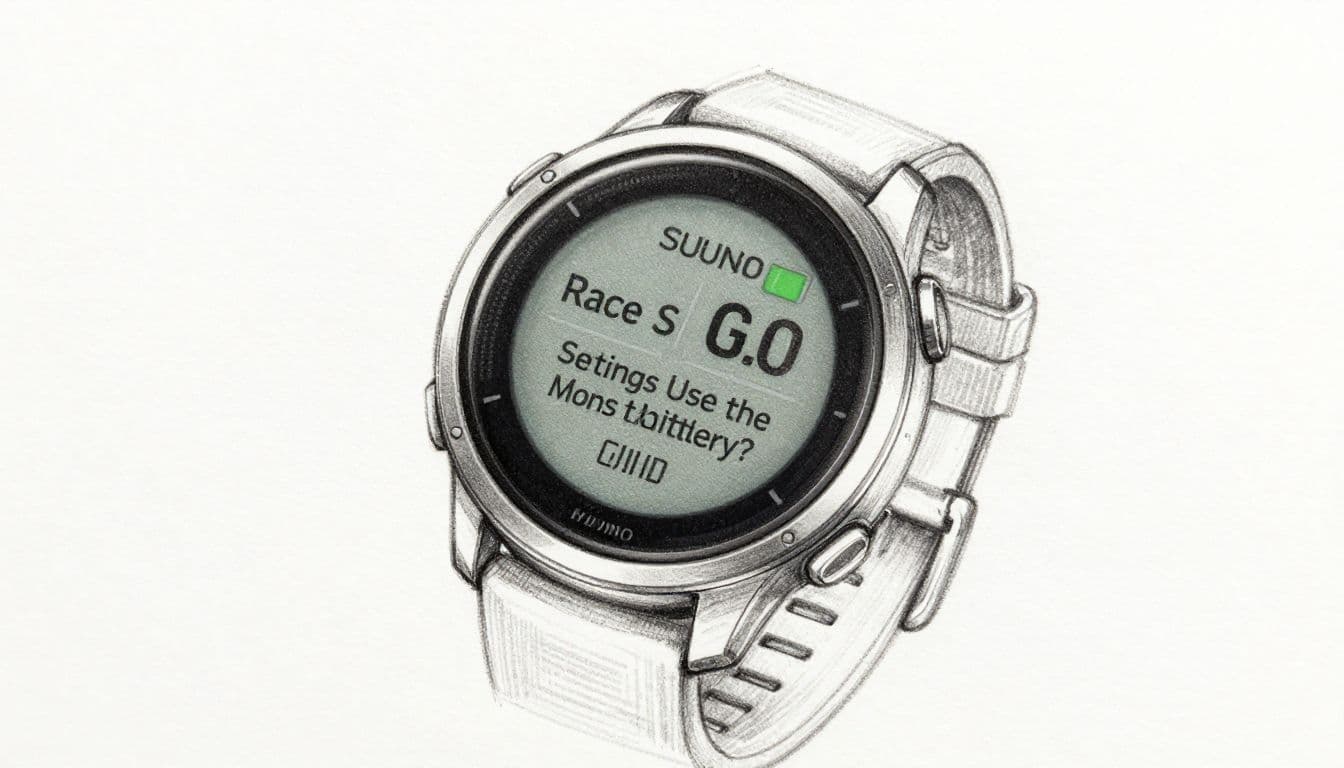 Suunto’s available satellite and battery choices can change with software updates, so check the current workout settings on your watch before race day. The Suunto satellite settings discussion also shows why reported battery estimates can vary between modes and users.
Display, maps, heart rate, and notifications that drain power
The display can become a steady battery expense when it stays on throughout the day or wakes often during training. An always-on display is convenient, but disabling it before a long GPS session usually offers an easy runtime gain. Lowering brightness and shortening the screen timeout can help without making the watch difficult to read.
Route maps require more interaction than a simple data screen. Frequent map checks keep the display active, and navigation adds workload during the activity. Load the route before starting, then use the map only when you need to confirm a turn.
Continuous wrist heart-rate tracking uses less power than GPS, but it runs for many more hours. Keep it enabled if you rely on recovery, sleep, or daily heart-rate data. For a single long workout, an external heart-rate sensor may be preferable if it provides the data you need with less wrist interaction.
Phone notifications usually create a smaller drain, yet dozens of alerts can repeatedly wake the screen and add vibration. Before a long run, silence nonessential alerts, reduce brightness, disable always-on display, and select a practical GPS mode. Those changes protect battery life without turning your Race S into a bare tracking device.
How the Suunto Race S Performs for Training, Racing, and Recovery
The Suunto Race S battery life fits most daily training plans, but your needs change with workout duration. A road runner training for one hour per day can usually recharge between sessions, while an ultrarunner recording all-day activities needs a larger safety margin and a backup plan.
Can it cover marathon training and race day without a recharge?
Yes, the Race S has enough GPS capacity for typical marathon training and race day when you start with a full charge. A four- or five-hour marathon uses only part of the watch’s stated GPS endurance, which Suunto lists at up to 30 hours in its most accurate training mode. You can review that official Race S battery information before choosing a workout profile.
Still, don’t calculate battery needs from moving time alone. The watch may run for an hour before the start while you wait in the corral, track heart rate during the race, guide you through a route, and remain active while you review pace and splits afterward. Cold weather, a bright display, frequent map checks, and navigation can also reduce the remaining charge.
A runner who trains one hour per day has a simpler routine. Charging after selected workouts can keep the watch ready without interrupting sleep or recovery tracking. For race day, start at 100 percent and use the exact GPS accuracy, display, heart-rate, and navigation settings you practiced.
Test the full race profile during a long training run, including the pre-run waiting period and post-run review. Battery estimates are useful, but your own setup provides the better answer.
Is the battery enough for trail running and ultramarathons?
The Race S can support long trail runs and some ultramarathons, especially when you select an extended GPS mode. These settings reduce power use by recording location less often, which can stretch runtime for all-day activities. The tradeoff is a less detailed track, less reliable instant pace, and reduced precision on switchbacks or frequent turns.
Extended modes make the most sense when finishing the activity matters more than recording every movement. They are less attractive for technical trails, dense forests, steep mountain routes, or races where navigation and accurate distance guide your pacing. Elevation changes and weak phone connectivity can also increase the demands on your watch and make battery predictions less comfortable.
For an event longer than the expected runtime, carry a charging plan. A compact power bank and the watch’s charging cable can protect your activity record when an aid station or overnight stop provides access to power. Confirm that you can charge without ending the activity, or plan a safe pause before the event.
How battery life supports sleep and recovery tracking
Wearing the Race S overnight gives you sleep data and supports recovery metrics such as overnight heart-rate patterns and HRV trends. Those measurements become less useful when charging habits leave gaps across several nights.
Charge after a long run if the battery has fallen sharply. For shorter sessions, a quick charge while you shower or work at your desk may be enough. That routine keeps the watch available for bedtime without sacrificing an entire night’s data.
A practical schedule is simple: charge after demanding workouts, top up during desk time, and avoid waiting until the battery is nearly empty. Consistent overnight wear gives your training decisions a more complete recovery picture.
Suunto Race S Charging Time, Cable, and Battery Care
Good battery planning starts before the watch reaches the starting line. The Suunto Race S uses its charging cable for both routine top-ups and race-day preparation, so keep that cable with your running gear instead of relying on a random replacement. Suunto also advises using the provided cable when charging, as stated in the Race S battery power management guide.
Do not rely on a guessed charging time. Charging speed can vary with the power source, cable connection, battery level, and watch temperature. If you need an exact figure, verify it in the latest Suunto manual or official support documentation. For race morning, the more useful check is whether the watch reaches a full charge and shows enough estimated GPS time for the planned event.
The fastest way to prepare the watch before a race
A short setup routine prevents small battery problems from becoming race-day distractions. Complete these checks the day before, then leave the settings alone unless something clearly needs attention.
- Charge the watch fully and confirm that the charging contacts sit cleanly against the cable.
- Sync your routes, workouts, watch data, and available software updates while the watch is connected to your phone.
- Select the intended sport profile, then choose the GPS mode you tested during training.
- Check paired sensors, such as a heart-rate strap, foot pod, or cycling sensor. Confirm that each device connects before you start.
- Disable alerts you don’t need during the event. Fewer notifications mean fewer interruptions and less screen activity.
- Review the battery estimate with the planned race duration, pre-start waiting time, navigation needs, and a safety margin in mind.
The watch’s battery warnings appear at 20% and 10%, according to Suunto’s user guide. That makes the estimate useful during preparation, but it isn’t a guarantee. Screen brightness, GPS accuracy, map use, heart-rate tracking, and cold conditions can change the result.
Don’t test a new GPS mode, display setting, or sensor on race morning. Race day is for using a setup you already trust.
Why cold weather and battery age can reduce runtime
Low temperatures can temporarily reduce how much power a lithium-ion battery can deliver. The watch may show a faster drop in charge or provide less runtime during a cold race, even though the battery can perform more normally after it warms up.
Keep the Race S under a jacket or inside a warm bag before the start. During the event, wear it against your skin when practical, and avoid leaving it in a freezing car overnight. Warm the watch gradually after exposure to cold, and keep moisture away from the charging contacts until the device is dry.
Battery capacity also falls over repeated charge cycles. As the battery ages, a full charge may last fewer hours than it did when the watch was new. Suunto’s battery care and support information lists battery replacement coverage limits, including one year or 300 charging times, whichever comes first.
Good habits can limit unnecessary stress, but they can’t restore capacity already lost. Avoid extreme heat, use the supplied cable, and charge before long activities rather than starting with a nearly empty battery.
Suunto Race S Battery Life Compared With Similar GPS Watches
Battery runtime makes more sense when you compare watches in the same running category. The Race S favors a lighter case and smaller screen, while some competitors prioritize longer GPS recording or a larger training ecosystem. Official figures are maximum estimates, so GPS mode and display behavior still matter.
Suunto Race S versus the larger Suunto Race
The Race S uses a smaller 45 mm case, weighs about 60 grams, and has a 1.32-inch AMOLED display. The larger Suunto Race measures about 49 mm, weighs approximately 83 grams, and uses a 1.43-inch AMOLED screen. The larger model also has the bigger battery, listed at about 480 mAh, compared with roughly 400 mAh in the Race S.
That difference gives the Race more endurance. Suunto rates the Race S for up to 9 days of everyday use and up to 30 hours of GPS training in its most accurate mode. The larger Race reaches up to 12 days of daily use and about 40 hours of GPS training, depending on the selected settings.
The Race S is easier to wear on a smaller wrist, and its lower weight is noticeable during sleep, speedwork, and long runs. Its AMOLED screen remains sharp and colorful, although the larger Race provides more room for maps and data fields. For runners who dislike bulky watches, the Race S trims size without removing the main training and navigation tools.
The tradeoff is simple. Choose the Race S if comfort, weight, and everyday wear matter most. Choose the larger Race if you regularly record long trail activities, need more map space, or want additional battery headroom between charges. Suunto’s official size and battery comparison illustrates how case size and runtime move together across the Race family.
How it stacks up against Garmin, COROS, and Polar
The following figures are manufacturer maximums, not guaranteed results. “Extended GPS” refers to a named low-power or power-saving mode when the manufacturer publishes one.
| Watch | Everyday battery estimate | Standard GPS estimate | Extended GPS estimate | Best fit |
|---|---|---|---|---|
| Suunto Race S | Up to 9 days | Up to 30 hours | Up to 120 hours | AMOLED maps and outdoor training |
| Garmin Forerunner 265S | Up to 15 days | Up to 24 hours | Not separately listed | Training metrics and Garmin’s ecosystem |
| COROS Pace 3 | Up to 15 days | Up to 38 hours | Up to 127 hours | Light racing watch with long GPS runtime |
| Polar Vantage M3 | Up to 7 days | Up to 30 hours | Up to 90 hours | Recovery-focused training and AMOLED display |
The Race S sits between these options. COROS offers stronger maximum GPS endurance and a very light design, while Garmin provides richer structured workouts, training status, and smartwatch integration. Polar emphasizes sleep, recovery, and training-load analysis.
Display preference also affects charging habits. The Race S, Forerunner 265S, and Vantage M3 use AMOLED screens, which look excellent but can consume more power with frequent wake-ups or always-on mode. The Pace 3 uses a lower-power memory-in-pixel display, so it favors endurance over screen richness.
For most marathon runners, all four watches provide enough standard GPS runtime. Ultramarathoners should compare their exact GPS mode, navigation needs, and charging access before choosing. Runtime matters, but the best watch is the one whose training tools you will actually use every week.
How to Extend Suunto Race S Battery Life Without Losing Key Training Data
The best Suunto Race S battery strategy keeps the data that guides training and removes power use that adds little value. You can preserve GPS activity records, wrist heart rate, sleep tracking, and useful notifications with a few measured changes.
Menu names and available options can vary by software version. Check your own watch after updates, because Suunto may move settings or change how battery modes work.
A simple battery-saving setup for everyday runners
Start with a balanced profile instead of using the most aggressive battery mode every day. For most road runs, standard GPS accuracy provides dependable distance and pace without the higher drain of the most precise option. Save the highest accuracy setting for races, dense urban routes, wooded trails, and mountain terrain.
A practical daily setup includes:
- Keep wrist heart rate and sleep tracking enabled if you use recovery data to guide training.
- Turn off the always-on display, or use it only when you need constant visibility.
- Set brightness to low or automatic, then shorten the screen timeout.
- Keep notifications for calls, messages, or calendar reminders that matter. Silence social media and promotional alerts.
- Leave phone connectivity enabled for syncing, but remove old sensors and devices that the watch repeatedly tries to find.
- Use navigation only when the route requires it. Load routes before starting, then avoid leaving the map screen open.
- Choose the normal battery mode for daily wear, and select an extended GPS mode only for activities where longer runtime matters more than detailed tracking.
This setup protects the information most runners need. You still record the workout, monitor heart rate, collect sleep data, and receive selected alerts. The main savings come from reducing screen activity and avoiding unnecessary GPS precision.
Before a key workout, open the sport profile and confirm its GPS, display, heart-rate, and navigation settings. A watch-wide battery preference may not override every activity profile, so check the settings that apply to running.
What to check when battery drain suddenly gets worse
A sudden drop in Suunto Race S battery life often comes from a setting or process that remains active. Review these common causes first:
- Bright or frequently active display: Always-on mode, long timeouts, high brightness, and repeated wrist raises can increase drain.
- Continuous navigation: Route guidance and frequent map checks keep the display and processing workload active.
- Repeated sensor searches: A missing heart-rate strap, foot pod, or bike sensor can cause repeated connection attempts.
- Poor phone connection: A weak Bluetooth connection may use more power while the watch and phone try to reconnect.
- Outdated firmware: Install available updates after syncing your data and charging the watch.
- Unusual temperatures: Cold can reduce short-term runtime, while excessive heat can affect battery health.
- An activity that never stopped: Check the exercise log for a run, hike, or navigation session still recording in the background.
Restart the watch after checking these items, then compare battery loss during a normal day. The Suunto community troubleshooting forum can help identify software-specific behavior, but anecdotal reports aren’t a substitute for testing your own setup.
Contact Suunto support if rapid drain continues after a restart, current software, clean sensor pairing, normal temperatures, and a fully charged battery. A support or warranty claim is appropriate when runtime has changed sharply without a settings change, the watch becomes unusually hot, shuts down unexpectedly, or loses charge while idle. Include battery percentage, activity type, GPS mode, temperature, firmware version, and a record of when the drain occurred.
Should You Buy the Suunto Race S for Its Battery Life?
The Suunto Race S has enough battery for most runners, but battery life alone shouldn’t decide the purchase. Its up-to-30-hour high-accuracy GPS rating covers marathon training, race day, and many long trail sessions. However, runners who record all-day activities or dislike frequent charging can find longer-lasting options.
The better question is whether the Race S battery fits your training pattern. A few short runs each week create a very different demand from daily two-hour workouts, overnight recovery tracking, and weekend ultras.
Who will appreciate the Race S battery life?
The Race S makes sense when you want a smaller AMOLED watch that can handle serious training without constant charging. Most road runners can complete several workouts, sleep with the watch on, and still have time to recharge before the next long session.
It suits runners who:
- Train for 5Ks, half marathons, and marathons.
- Record GPS workouts lasting one to five hours.
- Use navigation occasionally rather than throughout every activity.
- Prefer a lighter 45 mm watch for daily wear and sleep.
- Accept charging every few days when using the always-on display.
- Want strong outdoor tools without stepping up to the larger Suunto Race.
Your settings still shape the experience. With the display off between checks and a practical GPS mode selected, the watch can feel dependable throughout a normal training week. Battery loss becomes more noticeable when you combine high GPS accuracy, bright screen settings, frequent map checks, and daily long workouts.
The advertised maximums also need context. Suunto’s figures describe controlled testing, while actual use includes syncing, notifications, heart-rate monitoring, sleep tracking, and time spent reviewing data. An independent Suunto Race S review provides another useful comparison between published battery claims and practical GPS expectations.
Who should choose a different watch?
Look elsewhere if your training regularly pushes beyond the Race S’s comfortable GPS window. Ultramarathon runners, multi-day hikers, and athletes who use full-accuracy GPS with navigation for many hours may prefer a watch with greater battery headroom.
A different model may also suit you if charging every few days feels irritating. The AMOLED screen looks sharp, but it demands more power than lower-consumption displays, especially when always-on mode stays active. Runners who prioritize long GPS runtime over screen quality may prefer a lighter watch with a memory-in-pixel display.
The larger Suunto Race is another sensible choice for long-distance athletes who want more reserve capacity and a larger map. It costs more and weighs more, so the tradeoff is comfort versus endurance.
Buy the Race S for its balance of size, training features, and practical endurance. Choose another watch if maximum battery runtime is your main requirement.
For most marathon-focused runners, the Race S battery life is sufficient. Charge it before long workouts, test your chosen settings, and judge the watch by your actual training week rather than its best-case number.
Conclusion
The Suunto Race S should meet the needs of most runners when used with sensible settings. Its battery can cover daily wear, marathon training, and race day, but actual runtime depends heavily on GPS mode, display activity, connected sensors, weather, and workout length. The up-to-30-hour GPS rating is useful for planning, yet your chosen settings and conditions determine how much battery remains when the finish line is still ahead.
For race confidence, fully charge the watch, test the intended setup during a long training session, and leave a clear safety margin for waiting, navigation, stops, and unexpected delays. That habit gives you a more reliable answer than any best-case specification.
Choose the Race S for dependable daily training and marathon racing in a smaller AMOLED watch. Trail runners should test GPS and navigation settings carefully, while athletes planning longer adventures may need a larger battery reserve or an external charging plan.


