Suunto Race 2 Titanium for Trail Running: Is It Worth It?
The wind whips across the ridge, driving a cold rain sideways as the trail turns to slick mud beneath your shoes. In conditions like this, a basic pace tracker doesn’t cut it. You need instant feedback on elevation profiles, crystal-clear turn-by-turn routing, and battery life that survives unexpected hours in the backcountry.
Trail runners demand hardware that withstands punishing impacts while delivering precise performance data. When you’re miles from the trailhead, accurate GPS tracking and reliable recovery metrics keep you safe and moving forward.
The Suunto Race 2 Titanium enters the market as a high-end multisport watch built to handle rugged terrain and demanding training blocks. This practical review covers its mapping accuracy, daily battery behavior, trail comfort, and training tools, alongside its limitations and overall value.
Suunto Race 2 Titanium for Trail Running: What Runners Need to Know
When you step onto the mountain trail, your gear choice dictates your survival and your success. The Suunto Race 2 Titanium arrives as a serious piece of equipment for runners who measure their days in vertical feet rather than miles.
This watch bridges the gap between rugged durability and high-end navigation, giving you the tools to push deeper into the backcountry with confidence. Titanium brings a distinct advantage to the wrist, offering a strong strength-to-weight balance without feeling like an anchor during a long arm swing. However, hardware is only half the battle when weather turns sour and trails blur into endless switchbacks.
The trail features that matter most on race day
Route navigation forms the backbone of any successful mountain excursion. The Suunto Race 2 Titanium provides detailed offline maps and breadcrumb guidance, ensuring you stay on track even when cell service vanishes into thin air.
You can upload planned routes directly to the watch, which then displays your path alongside elevation profiles. Grade-adjusted pace, vertical speed, and remaining climb give you a realistic view of your effort on steep inclines, far outperforming instant road pace. Furthermore, the back-to-start tool acts as an insurance policy if exhaustion or fog clouds your sense of direction.
Customizable data screens let you prioritize what matters during different phases of a race. You can set up specific views for technical descents, long grinding climbs, or flat aid station stretches.
Distance tracking, lap controls, and heart-rate monitoring run concurrently without stuttering, while altitude data keeps you informed of your exact barometric pressure shifts. Keep in mind that downloading full outdoor maps requires a Wi-Fi connection prior to your run, and a clear view of the open sky helps the multi-band GPS lock onto satellites quickly before the starting gun fires.
Build quality, comfort, and fit on long mountain runs
Titanium transforms how a chunky GPS watch feels after six hours of relentless pounding. The metal case resists corrosion and sheds weight compared to heavier steel alternatives, saving your arm muscles from unnecessary fatigue.
Yet, titanium is not entirely indestructible, and sharp granite rocks can still leave cosmetic scratches across the bezel during an accidental tumble. Water resistance handles torrential downpours and river crossings with ease, while the physical buttons offer positive tactile feedback when your fingers are stiff from cold rain.
Strap security and proper placement dictate whether your optical heart-rate readings remain accurate. Wearing the watch snugly just above your wrist bone prevents it from sliding down during steep descents, which ruins heart-rate tracking. The watch size can feel substantial on smaller wrists, so testing the band during a long training run before race day is a smart move. A secure fit also improves sleep tracking accuracy when you analyze your overnight recovery metrics back at home.
How to read the most important Suunto Race 2 Titanium specifications
Evaluating a high-end multisport watch requires looking past flashy marketing terms and focusing on core performance metrics. When examining GPS modes, prioritize battery estimates under multi-band settings because high-accuracy tracking consumes power quickly.
Real trail use often differs from laboratory claims, especially when freezing temperatures, dense tree cover, and continuous map usage drain the battery faster than expected. Offline map storage and navigation memory dictate how many regions you can carry on your wrist simultaneously, which matters for multi-day stage races or remote traverses.
Sensor support and charging speed complete the practical picture for endurance athletes. Rapid charging features let you top off the battery during a quick crew stop at an ultramarathon aid station.
Altimeter data relies on a combination of barometric sensors and GPS calibration, so understanding how to manually calibrate your starting elevation helps maintain accuracy. Optical heart-rate monitoring performs well for steady efforts, but pairing the watch with a chest strap remains the best choice for interval sessions where heart rates spike rapidly.
GPS Accuracy, Maps, and Battery Life on the Trail
What GPS accuracy looks like in forests, canyons, and switchbacks
Satellite visibility dictates how clean your recorded track looks after a long mountain run. Atmospheric conditions, dense tree canopies, narrow canyon walls, and your wrist position all interfere with radio signals bouncing down from orbit. When the sky is wide open, your watch locks onto multiple constellations instantly.
However, once you drop into a deep gorge or a pine-heavy forest, those signals scatter. As a result, the watch calculates positions using reflected or delayed signals, which creates a jagged track that looks like a drunken spider walked across your map.
Smart runners understand the difference between straight-line distance and the actual path traveled on winding terrain. Poor data often reveals itself through sudden pace spikes on a flat trail, misplaced turns that clip corners across a canyon, or impossible elevation gains while you are standing still.
To secure the cleanest data possible, start your GPS acquisition before you begin moving and give the device a minute to lock onto a strong signal. Keep your wrist exposed rather than buried under waterproof sleeves, and switch to multi-band recording modes when you tackle technical, high-interference routes.
Offline maps and route navigation when the trail gets confusing
Downloadable maps and pre-loaded route files act as an insurance policy when mountain weather closes in or trail junctions multiply. You can sync a custom track to your wrist before leaving home, which lets you check upcoming turns, identify intersecting paths, and inspect the surrounding topography at a glance.
Route preparation requires a stable data connection through the companion mobile app, where you can select specific regions and push vector maps directly into local storage. Once you step onto the trail, the display highlights your path with clear vector lines, warning you if you wander too far off the intended line.
Navigation features run locally on the hardware, meaning you do not need an active cellular connection in the backcountry to see where you are. Yet, a blank screen or a missing route file turns an adventure into a guessing game.
Use this quick pre-race checklist before you leave the trailhead:
- Confirm the desired route is fully synced and visible on the storage menu.
- Check that offline map regions cover your entire running area.
- Verify the battery level is high enough for your estimated duration plus a safety margin.
- Double check your starting coordinates and ensure the GPS lock icon is green.
Battery life for long runs, ultras, and multi-day adventures
Battery management dictates how far you can push your training before you need a wall outlet. A standard one-hour recovery jog hardly taxes a modern multisport watch, but an all-day mountain traverse or a 100K ultramarathon demands strict power discipline.
Official runtime estimates serve as a baseline, but real-world conditions rarely match laboratory numbers. Cold temperatures drain lithium-ion batteries rapidly, while continuous map pan operations, heavy multi-band GPS tracking, and optical heart-rate monitoring draw significant current.
Adjusting your settings helps you balance precision with longevity. For shorter outings, max-accuracy settings give you the tightest data tracks. When you toe the line at an ultra, switch to a balanced satellite mode that extends runtime without sacrificing too much track fidelity.
If you tackle multi-day adventures, carry a compact power bank in your running pack to top off the device during aid station stops. Avoid keeping the backlight on permanently, and disable unnecessary smartphone notifications that wake the screen repeatedly over the course of a day.
Elevation and pace data that can improve trail decisions
Barometric altimeters and satellite positioning work together to track your vertical ascent, but each system has distinct flaws. Barometric sensors react to fast-moving weather fronts, meaning an approaching storm can make your watch think you are climbing a mountain while you run across a flat meadow.
GPS elevation data tends to be noisy, fluctuating up and down even on a level dirt road. Instead of trusting every single numerical reading on your wrist, look at broader trends and race context to manage your effort.
Grade-adjusted effort metrics help you maintain consistency when the trail rears upward at a brutal gradient. Instant pace on a steep climb becomes practically useless because forward speed drops while energy output skyrockets. Monitoring your heart rate and ascent rate keeps you from burning through your glycogen stores too early in a race. Keep an eye on your lap averages and overall vertical gain to pace yourself sensibly, ensuring you still have enough energy left in your legs for the final descent.
Training and Recovery Tools for Stronger Trail Performance
Your watch is a mirror that reflects your weekly effort, but it is never the runner holding the poles. Using the Suunto Race 2 Titanium for trail running means learning to listen to your body while letting wrist data validate your hard work. Technology guides your pacing discipline and flags incoming overtraining before injury sidelines your season.
Using structured workouts for hills, tempo runs, and trail intervals
Uphill repeats and rolling tempo efforts demand careful planning because erratic terrain makes traditional road paces completely useless. You must design workouts around heart rate zones, perceived effort, duration, or elevation gain instead of relying on a static minute-per-mile target. For example, programming a hill repeat session using duration alerts ensures you climb hard for three minutes before turning around for an easy jog descent.
Trail workouts require flexible effort ranges because mud, steep grades, and technical rock fields change the energy cost of every single mile. When you run a fartlek session on singletrack, set vibration alerts for heart rate thresholds so you can keep your eyes on the trail instead of staring at your wrist. Long-run progression work benefits from simple lap configurations, allowing you to check your splits at designated aid stations or river crossings without breaking your rhythm.
Heart rate, wrist sensors, and external data sources
Optical wrist sensors provide convenient day-to-day tracking, but steep climbs and freezing temperatures test their limits. Cold weather reduces blood flow to your skin, often causing the sensor to miss rapid heart rate spikes during hard interval sessions on loose dirt. Wearing the strap slightly tighter and higher above your wrist bone prevents sliding during aggressive downpours or jarring descents.
External chest straps offer dependable electrical readings when you need absolute precision for lactate threshold testing or structured hill repeats. Always check your battery levels before heading into the backcountry, and pair your external sensors well before you leave the trailhead. When digital data occasionally acts erratic due to static or moisture, rely on your breathing rate and perceived effort as an immediate backup.
Recovery, sleep, training load, and knowing when to back off
Recovery metrics, sleep duration, and training load calculations help you spot hidden fatigue patterns before they turn into full blown burnout.
These estimates are not medical diagnoses, so you must combine them with subjective markers like morning motivation, muscle soreness, and resting heart rate. If your watch signals high strain after a terrible night of sleep, adjust your scheduled hard hill session into an easy aerobic recovery jog.
Consistent wear builds a reliable baseline, but you must avoid becoming anxious over a single low readiness score or a bad night of rest. Context matters more than any isolated algorithm, so listen to your joints and your mood above all else.
Turning watch data into a better trail training plan
Reviewing your training data each week helps you convert raw numbers into actionable adjustments for your next microcycle.
Compare your heart rate across similar climbs over the past month to measure genuine aerobic improvements. Check your long runs to ensure you are truly keeping your easy days slow, and track your weekly elevation gain to prevent dangerous spikes in volume.
A simple training log that combines your watch metrics with route details, weather, shoe wear, and nutrition notes paints a complete picture of your fitness. Avoid making sudden, dramatic increases in your weekly mileage just because an automated watch suggestion tells you to push harder. Build your training progression patiently, using your device to verify that your body is actually absorbing the work.
How the Titanium Model Compares With Other Trail Running Watches
Choosing a timepiece for mountain running requires looking past brand marketing and examining how hardware handles mud, sweat, and elevation. The market offers distinct choices for runners who measure success in vertical gain rather than flat miles. Therefore, comparing models across different manufacturers helps clarify which device fits specific backcountry habits.
Suunto Race 2 Titanium versus Garmin trail watches
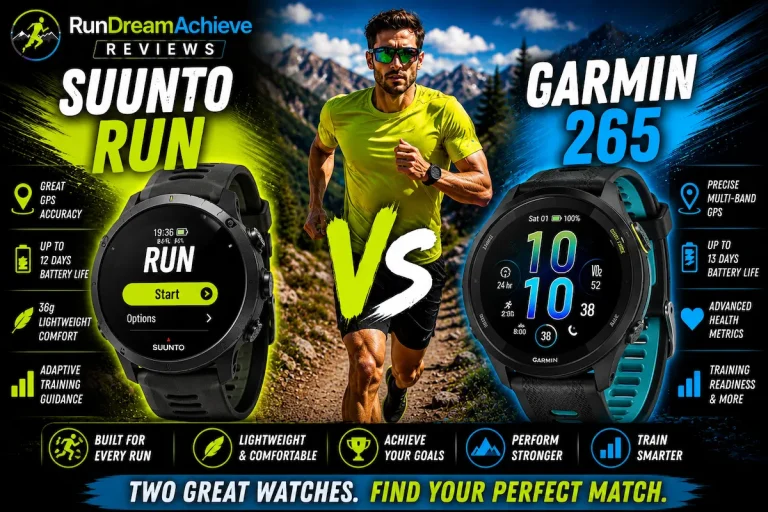
Garmin watches like the Fenix and Enduro series dominate the endurance market through extensive training metrics and massive ecosystem integrations. However, Suunto keeps its interface streamlined and focuses heavily on outdoor navigation.
Garmin provides deeper integration with third-party apps, advanced continuous readiness scores, and contactless payment options for post-run coffee stops. On the other hand, Suunto delivers offline vector maps out of the box without requiring a subscription tier or complicated software setup.
Battery management also differs between the two brands during multi-day efforts. Garmin relies on solar charging options in select heavy-duty models, while Suunto focuses on optimized battery modes paired with rapid charging speeds.
Runners who want detailed training load analytics, smartwatch notifications, and a sprawling gadget ecosystem often prefer Garmin. Meanwhile, athletes who prioritize a clean, uncluttered trail workflow, physical durability, and straightforward outdoor tools frequently lean toward Suunto.
Suunto Race 2 Titanium versus COROS and other Suunto options
COROS adventure watches challenge high-end models by offering exceptional battery longevity at a lower price point. When stacked against a performance-focused COROS alternative, the Suunto Race 2 Titanium stands out with its AMOLED display clarity and tactile rotating crown. COROS uses memory-in-pixel screens that excel under bright midday sun, while Suunto prioritizes rich color maps that remain legible under a thick forest canopy.
Stepping down within the Suunto family to a base-tier model saves money, but buyers lose premium case materials and dual-band GPS accuracy. A lighter, less expensive watch is the smarter choice for runners who stick to marked local trails where a phone can handle mapping duties. Paying extra for titanium and advanced sensors only makes sense if you regularly lose cell service and navigate remote terrain.
Who should buy the titanium version, and who should save money?
Buying a high-end multisport watch requires balancing your actual trail habits against your budget. The titanium model suits runners who value premium metal construction, low wrist weight, and reliable navigation during long mountain outings. If you log heavy weekly mileage in remote alpine environments, the scratch resistance and comfort of titanium justify the investment.
Runners who mostly run familiar neighborhood routes or rely on a smartphone for trail directions should save their money and buy a mid-range alternative. Ownership value extends beyond the initial purchase price, including warranty coverage, replacement strap availability, and long-term software updates. Choose a device that matches your actual adventure level instead of buying features you will never use in the backcountry.
Setup, Trail Testing, and Everyday Use With the Suunto Race 2 Titanium
Getting the most out of your hardware requires thoughtful preparation before you step onto the dirt. Unboxing a premium piece of technology feels exciting, but skipping the initial configuration phase leads to frustrating data gaps miles away from civilization. Taking twenty quiet minutes at your kitchen table to dial in the settings ensures your device performs reliably when mountain weather deteriorates.
Set up the watch before your first serious trail run
Plug the charging cable into a reliable USB port and let the battery reach one hundred percent before doing anything else. Download the companion application on your smartphone, create a runner profile, and pair the watch via Bluetooth to establish a stable connection.
Once paired, the system checks for pending firmware updates, which you should install immediately to ensure you have the latest performance patches and bug fixes. Navigate to the satellite settings and select the multi-band positioning mode because high-accuracy tracking matters most in rugged terrain. Set your preferred units to imperial or metric, verify your correct time zone, and input your exact heart rate zones if you know your lactate threshold.
Configure distinct sport profiles for trail running, road running, and ultra-distance events so your data fields match the specific demands of each outing. Remove distracting smart notifications that disrupt your focus during a difficult climb. Customize your data screens to show only the metrics you actually read while moving fast. Finally, put on your running gloves and hydration pack, then test the physical button controls to make sure you can operate the menus with stiff or wet fingers.
Build a trail data screen that supports smart pacing
Information overload ruins a race when you stare at a tiny screen trying to decipher ten different numbers while gasping for oxygen.
Design your primary running screen around immediate effort data like lap time, current heart rate, and grade-adjusted pace. Create a secondary screen dedicated entirely to navigation, featuring your route breadcrumb line, total elevation gain, and distance remaining to the next checkpoint. Use a third screen for environmental context and nutrition reminders, displaying battery percentage, time of day, and ascent rate.
Avoid cluttering your displays with redundant fields that force you to break your stride. For easy recovery runs, keep the layout sparse with just elapsed time and heart rate. Technical descents require an unobstructed view of your distance and current altitude so you can judge your descent rate against your overall schedule.
A simple field test for accuracy, comfort, and battery use
Testing new gear on a familiar local loop prevents unpleasant surprises on race day. Pick a route that includes a steep climb, a forested canyon, and a wide-open ridge to evaluate how the hardware handles different satellite environments. Record your starting battery percentage, weather conditions, and active satellite mode before you step out the door. Note your finish battery percentage at the end of the run to calculate actual power consumption rates.
Check your wrist comfort after running for two hours, especially if your hands swell from heat or exertion. Test the touchscreen and physical buttons with wet hands or muddy fingers to verify responsiveness. Honest reporting of flaws matters more than chasing perfect manufacturer claims, so note any sudden pace spikes or map stuttering you encounter along the way.
Common mistakes that lead to bad trail data
Small procedural errors often ruin otherwise promising training logs. Starting your run before the GPS icon turns solid green leaves you with a jagged track that cuts straight through switchbacks and distorts your distance metrics.
Wearing the optical sensor too loosely on your wrist causes sliding during rough descents, which results in erratic heart rate spikes. Selecting a road running profile instead of a trail profile skews your vertical metrics because the algorithm expects smooth terrain instead of technical obstacles.
Failing to sync your offline maps before heading into remote areas leaves you with a blank screen when cellular service disappears. Ignoring low battery warnings during a cold morning run can cause sudden shutdowns miles from the trailhead. Always give the device time to acquire a clean satellite lock in an open area before you start moving, and remember that periodic firmware updates can alter power consumption and menu layouts.
Conclusion
The Suunto Race 2 Titanium is a rugged and reliable companion for runners who prioritize mountain navigation and battery life over bloated smartwatch features. It delivers verified map routing, titanium durability, and precise vertical data, although its steep price, optical heart-rate quirks on cold days, and simpler app ecosystem may deter some athletes.
Casual trail runners should stick to mid-range alternatives to save money, but dedicated mountain runners and ultramarathoners will find immense value in its offline vector maps and fast charging speeds. Runners who already own a capable GPS watch don’t need an immediate upgrade unless their current device struggles with battery longevity or satellite lock in dense canyons.
Compare current pricing and official specifications in July 2026 before making your final purchase. Take the watch onto familiar local terrain, configure the data screens to match your specific goals, and use its metrics to train with more control rather than chasing numbers.