

Philadelphia Marathon Weekend App: Live Tracking, Results & Race-Day Alerts
The Philadelphia Marathon Weekend begins with the energy of the expo, then spills onto packed streets before sunrise as runners, spectators, and volunteers move toward the start lines. With so much happening across the city, the Philadelphia Marathon Weekend app can keep schedules, course maps, race updates, runner tracking, results, and event details in one place.
That information can help you find your race, follow a runner, check timing updates, and plan around road closures without searching through scattered pages. However, app names, features, and release dates may change each year, so confirm the current app through the official Philadelphia Marathon website or a verified app store listing.
This guide explains how to download and set up the app, use its main features, and prepare a backup plan so you aren’t relying on your phone as your only source of race-day information. Also, make sure to book your Philadelphia Marathon hotels in advance to save on costs.
Key Takeaways
- Download the official Philadelphia Marathon Weekend app before race weekend, then allow notifications and location access if needed.
- Use the app to review event schedules, course maps, transportation details, race updates, and participant information.
- Add runners to your favorites so you can follow split estimates, pace, timing updates, and division placement.
- Check the app before leaving for the start line, since road closures, shuttle details, and event instructions may change.
- Keep your bib number, meeting point, and key race details available offline in case cellular service becomes crowded.
How the Philadelphia Marathon Weekend App Helps You Plan the Race
The Philadelphia Marathon Weekend app is a mobile guide for everyone connected to race weekend. Marathoners, half marathon runners, 8K participants, spectators, volunteers, and family members can use it to find event information without piecing together scattered social posts or old race guides.
Depending on the current year’s release, the app may include the weekend schedule, race start times, bib and participant details, venue information, course maps, transportation notices, race rules, weather updates, results, and support resources. Since Philadelphia Marathon Weekend includes several events, select the correct race before using schedule or runner-tracking tools.
Features can change each year, so check the official Philadelphia Marathon website and its current event channels before race weekend.
Where to Find the Official App Safely
Start at the official Philadelphia Marathon website, then follow its app download instructions. You can also search directly in the Apple App Store or Google Play, but don’t download the first result with a similar name.
Before installing, compare these details:
- The publisher should match the official event organizer or its named technology partner.
- The event name and logo should match the current Philadelphia Marathon Weekend branding.
- The listing should show a recent update date for the current race year.
- The privacy section should explain what data the app collects and why.
- The app description should mention Philadelphia Marathon Weekend events, not another city’s race.
Unofficial tracking apps may show incomplete results, outdated courses, or incorrect start times. A link shared in a group chat can also lead to an old listing or an unsafe download page. Verify it through the race website first.
If no current app appears, use the official mobile website and subscribe to race email updates. Downloading a similarly named app creates more confusion than it solves.
Set Up Your Runner or Spectator Profile Before Race Weekend
Download the app over reliable Wi-Fi several days before traveling. Search for a participant by name or bib number, then select the correct event before saving the runner to your favorites. Add a family member’s bib only with their permission.
Allow notifications that help with race planning, such as schedule changes, transportation notices, weather alerts, and results. You can deny unrelated permissions, especially if the app doesn’t need them for a feature you plan to use.
Sign in, save participant details, and capture important screens before race morning. Test runner tracking at home, then check your bib number, meeting point, start area, and race rules. Crowded streets can weaken cellular service, so preparation gives you a backup when setup becomes difficult. For event-specific details, confirm the correct race page, such as the Philadelphia Half Marathon information.
The Best Philadelphia Marathon Weekend App Features for Race Planning
The Philadelphia Marathon Weekend app is most useful before race morning, when a few minutes of planning can prevent hours of confusion. Use it to build a simple race plan around the schedule, expo, course, transportation, alerts, participant lookup, and results.
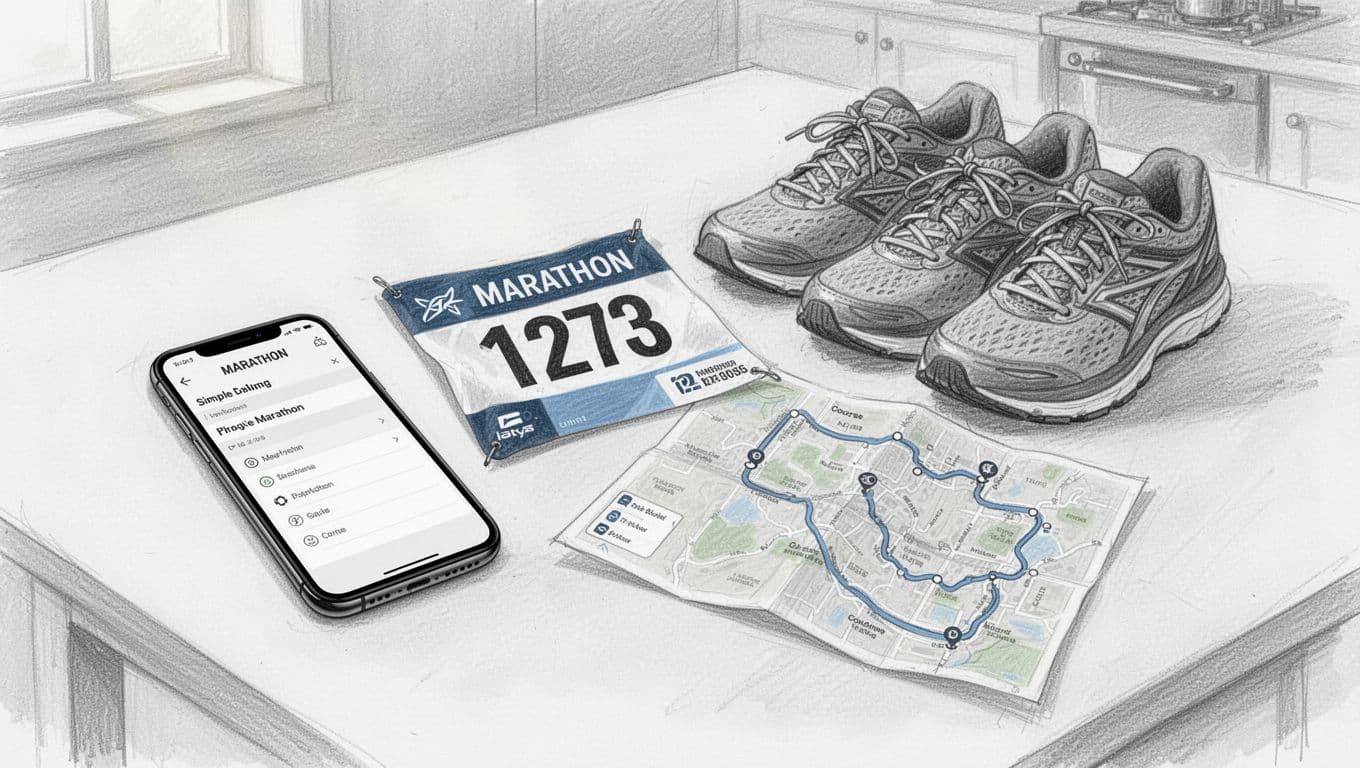
Use the Schedule and Expo Details to Avoid Last-Minute Stress
Open the schedule and confirm every time that affects your weekend:
- Expo opening and closing hours
- Bib pickup rules and required identification
- Race start times and corrals
- Bag check deadlines
- Awards and post-race activities
- Transportation changes and other event announcements
Plan backward from your race start, rather than leaving at the time you think you need. Add time for security, walking, public transportation, parking, lines, and finding the correct entrance. If bib pickup closes at a set time, build your travel plan around arriving early, especially if you still need to collect your race materials.
The official Philadelphia Marathon Expo information can help you confirm venue and transportation details before you travel. Save the schedule in the app, then take screenshots of the pages you may need without service. A short written backup with your bib number, start area, pickup details, and meeting point is even better.
Read the Course Map Like a Runner, Not Just a Tourist
A course map should shape your pacing and fueling plan. Study the start and finish areas, major turns, elevation changes, water and sports drink stations, medical aid points, restrooms, spectator crossings, and restricted roads.
Use aid station spacing to decide when you’ll drink or take fuel. If the course includes a climb, avoid forcing your goal pace uphill and plan to regain time only when the road allows it. Review the official course maps and fluid station details before race weekend because locations and access points can change with city operations, weather, or race management decisions.
Share a few recognizable landmarks with family members before arriving. That gives spectators a practical viewing plan without asking them to cross closed roads or move through crowded start and finish areas.
Turn Official Alerts Into Useful Race-Day Decisions
Keep push notifications on throughout the event period. Alerts may cover weather, start-line changes, road closures, transportation problems, safety instructions, and schedule updates. They can also help you check participant progress and access results after the race.
To reduce distractions, disable unrelated phone notifications temporarily. Most importantly, treat a current official alert as the final instruction if it conflicts with an old screenshot, saved schedule, or social media rumor. Check the official race app download page before the weekend, and review alerts before leaving your hotel.
How to Use Live Runner Tracking in Philadelphia
Live tracking helps spectators follow a runner without standing at every mile marker. After you search by name or bib number in the Philadelphia Marathon Weekend app, save the correct participant and select the right race. The app may show recorded checkpoint times, estimated progress, pace information, or a runner’s latest timing point.
Use those updates to make decisions, not to chase every dot on the map. A practical plan usually includes one or two viewing locations, followed by a prearranged meeting point after the finish.
Build a Realistic Spectator Plan Around Checkpoints
Choose checkpoints that fit the course, your walking ability, and the runner’s expected pace. If the app shows that your runner has passed one timing mat, estimate when they may reach the next viewing area. Leave before the update arrives, since thousands of spectators may be moving through the same streets.
Avoid planning three or four stops across Philadelphia. Crowded sidewalks, barricades, closed crossings, and long walks can make a short map distance take much longer than expected. Pick one early location and one later location, or watch near the finish if your group prefers a simpler day.
The app’s map and alerts should work alongside current transportation information. Check SEPTA service alerts before leaving, then review the official Philadelphia Marathon road closure notice for restrictions that could affect buses, cars, and pedestrian access. Race-day conditions can change quickly, so don’t rely on a saved route from the night before.
Allow extra walking time, carry a charged phone, and choose a meeting place away from the busiest finish-area exits. Name a nearby hotel, restaurant, or public landmark rather than saying, “Meet by the finish.” Tell everyone what to do if the group loses service.
Understand Tracking Delays and Missing Updates
Runner tracking isn’t always instant. Timing mats may record progress only at certain checkpoints, while crowds, weak phone coverage, or technical problems can delay an update. A runner may appear frozen, jump forward several miles, or disappear briefly without being in danger.
When the map stops moving, take these steps:
- Refresh the app and confirm that you selected the correct runner and race.
- Check the runner’s last recorded checkpoint and its timestamp.
- Review official race alerts for timing or course issues.
- Contact the runner directly when practical, but avoid repeated calls while they are racing.
- Use race information or medical services for a genuine safety concern.
Tracking also involves privacy. Runners should tell family members whether they are comfortable sharing their name, bib number, pace, and location updates. Supporters should save only the information they need and avoid sharing tracking details publicly without permission.
Race-Morning Tools That Help Runners Stay Focused
Race morning is not the time to solve every logistical problem with your phone. Use the Philadelphia Marathon Weekend app to confirm directions, alerts, corrals, gear check details, and finish-area instructions, then return your attention to the race plan you practiced in training.
Protect Your Phone Battery and Data Connection
Charge your phone fully the night before. Lower the screen brightness, close unused apps, and avoid streaming music, video, or social media while you wait. Spectators should remember that GPS runner tracking can consume both battery power and cellular data, especially when they refresh the map repeatedly.
Carry a small power bank if race rules and your gear allow it. Download or screenshot your bib details, start-area directions, corral assignment, meeting point, and emergency information before leaving your hotel. A congested network may make a saved screen more useful than a perfect signal.
Runners should keep their phones in a secure pocket or leave them behind if their race plan doesn’t require one. Your required identification, medical details, emergency contact information, and other race documents still need to travel with you when the event requires them. Your phone should support your plan, not become another distraction.
Use Maps and Alerts Without Losing Your Pacing Plan
Use the app’s map for logistics, not as a substitute for knowing the course. Before entering the start area, review the route, major turns, hills, aid stations, restrooms, gear check location, medical support, and finish procedures. Confirm how you’ll reach your corral and where you’ll go after crossing the finish line.
A last-minute app message shouldn’t change your pacing, fueling, or shoe choices. Follow those decisions because you tested them during training. Your watch can display pace, but your practiced effort strategy should guide you when GPS readings become unreliable around tall buildings or crowded streets.
Keep the app available for official instructions, while your training plan controls your race execution.
Only change your approach when race officials issue a safety-related instruction. Weather warnings, course changes, delayed starts, or medical notices take priority over a personal goal pace.
Choose Your Distance, Duration and Goal Time
Make three quick selections and open the exact plan built for your race target.
Looking for a Fully Personalized Training Plan?
The training plans above are an excellent choice if they match your goal. However, if you’d rather train with a plan built specifically around your current fitness, goal race, preferred training days, weekly mileage, and target finish time, our RDA Custom Training Plans provide a personalized solution. We also have running courses available for runners seeking to run faster from the mile to the marathon.
Why Choose a Custom Training Plan?
| Standard Training Plan | RDA Custom Training Plan |
|---|---|
| Follows a fixed schedule | Built around your schedule |
| Standard weekly mileage | Peak mileage customized for you |
| Fixed workout days | Train on the days you choose |
| Same structure for everyone | Designed around your current fitness |
| Static plan | Updated as your fitness improves |
| One-time purchase | Ongoing personalized coaching and support |
What You’ll Receive
- A training plan built specifically for your goal
- Personalized training paces
- Long runs, tempo runs, threshold workouts, interval sessions, recovery runs, and easy runs
- Peak weekly mileage matched to your experience level
- Flexible training schedule that fits your life
- Ongoing plan adjustments as your fitness improves
Ready to Train Smarter?
Stop guessing and start following a plan built specifically for you, your schedule, and your racing goals.
Know What to Do When the App Stops Working
Keep a simple backup plan in your pocket or bag. Use the official website, race emails, venue signs, volunteers, your printed confirmation, saved screenshots, and race staff when the app fails. Check for an update, restart the app, switch between Wi-Fi and cellular data, and confirm your phone’s time, location access, and notification permissions.
If the problem continues, stop troubleshooting and ask a volunteer or race official. Emergency questions belong with race officials, medical staff, or 911, not an app support form. A working backup plan lets you keep moving when technology cannot.
Results, Photos, and Recovery Information After the Finish
The Philadelphia Marathon Weekend app remains useful after you cross the finish line. Runners and supporters can check preliminary results, save race photos, review awards information, and watch for event announcements when those features are available.
Check Your Finish Time and Splits Carefully
Open the results section after finishing and search by your name or bib number. You may see several details:
- Gun time starts when the race officially begins.
- Chip time, also called net time, starts when you cross the timing mat.
- Pace shows your average speed, often per mile or kilometer.
- Splits show your time at recorded checkpoints.
- Overall place ranks you among all finishers.
- Age-group place compares your result with runners in your division.
Your net time usually gives the clearest picture of how long you took to cover the course. However, awards and certain race categories may use gun time. Check the event’s current rules before assuming the faster number determines placement.
Save a screenshot or download your result while access is easy. The app can become slow when thousands of runners check results at once. Also, treat early numbers as unofficial. Philadelphia’s official marathon page states that results remain unofficial until organizers finalize them after reviewing timing data. Compare the app with the official Philadelphia Marathon results page if a split, finish time, or placement looks wrong.
A missing timing point doesn’t always mean you missed part of the course. Timing equipment, data transfers, or a crowded network can delay an update. Record the discrepancy, then contact the official timing or race support team through the race website.
Use Race Data to Guide Your Next Training Block
Give your body time to recover before studying every mile. Once soreness has eased and you’ve resumed normal movement, compare your planned pace with your actual pace. Look for the point where your effort changed, whether the final miles slowed, and whether hills or crowded sections affected your rhythm.
Review your fueling and hydration while the details are fresh. Write down what you took, when you took it, and what worked well. Note any stomach trouble, cramping, missed fluids, or late-race energy loss.
The app can provide useful race records, photos, announcements, and awards updates, but it isn’t a complete training platform. Use a running watch, training log, or coaching plan for deeper analysis before choosing your next hard workouts. Recovery comes first, then the data can help shape your next block.
Official App or Mobile Website: Which Option Should You Use?
The official Philadelphia Marathon Weekend app is convenient, but it shouldn’t be your only information source. A simple setup usually works best: use the app for runner tracking and alerts, the mobile website for official details, and saved offline information when service fails.
The app is the strongest choice for real-time updates, participant searches, split estimates, and results. It may use more battery and require a compatible phone, while a browser-based website usually takes less storage and works on more devices. The official race app page is the safest place to confirm the current download option.
Email updates can preserve registration details and schedule changes in your inbox, but they may arrive later than push alerts. Social media can provide quick notices, yet posts are easy to miss and should never replace instructions from race officials. GPS and transit apps help with walking, driving, and SEPTA planning, although they won’t know every temporary race restriction.
Choose a Backup Information Plan Before Traveling
Save your confirmation email, bib details, expo address, race start information, hotel address, emergency contacts, and transportation plan before leaving home. Take screenshots of pages you may need offline, then write the most important details on a small card. A printed backup stays useful when your battery is dead, cellular service is crowded, or your phone won’t support the app.
Use official race staff, volunteers, and posted signs as the final authority on-site. They can provide current directions when an old screenshot conflicts with a road closure or venue change.
Check Accessibility, Language, and Privacy Needs Early
Before race weekend, increase text size and test screen-reader support, language settings, notification controls, and location permissions. Check the mobile website too, since it may be easier to read or access if the app has display problems. A family member or support person can monitor updates and relay important changes when you need help.
Keep permissions limited to features you plan to use. Don’t post your bib number, hotel location, phone number, or live tracking details publicly. Use only trusted official links for registration, sign-in, and account information.
Choose your tools by role:
- Runners should use the app, email, and offline screenshots.
- Spectators benefit from the app, transit tools, and a shared meeting plan.
- Out-of-town guests should add the mobile website, hotel address, and downloaded maps.
- Unsupported phones can rely on the website, email, paper details, and race staff.
A focused combination is safer and easier than downloading every race-related app.
Common Mistakes That Make Race Apps Less Useful
A race app can protect your focus, but only when you prepare it before the streets fill with runners and spectators. Small checks at home can prevent avoidable problems with tracking, directions, battery life, and race information.
Do Not Let App Notifications Replace Race Preparation
The Philadelphia Marathon Weekend app can send useful alerts, but notifications cannot create fitness or repair a poor race plan. They won’t replace sleep, familiar nutrition, course study, or pacing decisions tested during training.
Before race weekend, confirm your goal pace, fueling schedule, clothing, shoes, transportation, and start-area plan. Write down your bib number, meeting point, and key directions. Then test the app while you still have reliable Wi-Fi and enough time to fix problems.
Some runners make the mistake of checking every alert during the race. That can pull attention away from effort, breathing, and pacing. Use your phone only for a clear purpose, such as emergency contact, navigation, music, or a planned pacing check. Otherwise, put it away and let your training guide you.
The app can organize race logistics, but your preparation must control race execution.
Verify Changes Instead of Following Old Race Information
Philadelphia Marathon Weekend details can change between race years. Dates, expo rules, course routes, transportation plans, security procedures, corrals, and start instructions may differ even when the event looks familiar.
Don’t trust a cached search result, an old screenshot, or advice from a runner who raced in a previous year. First, confirm the current information in the official Philadelphia Marathon website, then compare it with the current app, race guide, email updates, and on-site signs.
Before leaving for the start, check that you downloaded the correct current app, selected the correct event, and saved the latest schedule. Marathon, half marathon, and 8K information may appear together, so searching the wrong race can produce incorrect start times or tracking details.
Live tracking can also lag because timing mats record runners at checkpoints rather than every moment. Refresh once, check the timestamp, and avoid assuming a missing update means a problem. After the finish, treat app results as preliminary until the official race page confirms the final time and placement. A few minutes of verification can keep old information from disrupting your race morning.
Frequently Asked Questions
Philadelphia Marathon Weekend details can change between race years, so confirm app features, timing updates, and event instructions through current official channels. These answers cover the questions runners and supporters often have after setting up the app.
Is there an official Philadelphia Marathon Weekend app every year?
Organizers may release a dedicated app, update an existing event app, or rely more heavily on the mobile website in a particular year. Check the official Philadelphia Marathon website for the current setup before downloading anything.
If an app is available, follow the download link from the race site or compare the publisher with the verified Apple App Store or Google Play listing. Avoid similarly named apps that show old schedules, unrelated races, or incomplete results.
Can family members track a Philadelphia Marathon runner?
Family members may be able to follow a runner through the official app or race website when timing data is available. Search by the runner’s name or bib number, then confirm that you selected the correct event before saving the participant.
Timing updates can arrive late because the system depends on checkpoint mats, data transfer, and network service. Supporters should choose a meeting place before race morning, since live tracking cannot replace a clear plan if phones lose service.
Does the app show the Philadelphia Marathon course map?
The official app commonly includes course and event maps when organizers publish them for the current race year. Check the latest version before planning your pacing, spectator route, or transportation.
Depending on the event, a map may show aid stations, restrooms, medical points, start areas, finish zones, and restricted crossings. Review the official marathon information as well, since course details can change.
What should I do if my bib number does not appear?
First, check that you selected the correct race, entered your name as it appears in your registration, and typed the bib number accurately. Marathon Weekend includes multiple events, so a search under the wrong race may return no match.
If the problem remains, contact official participant support or ask race information staff at the expo. Use the race website and event personnel rather than relying on an unofficial runner database.
Can I use the app without cellular service on race morning?
Saved pages, screenshots, and downloaded information may still work offline, but live alerts, runner tracking, and result updates usually need an internet connection. Cellular networks can become crowded around the start and finish areas.
Take screenshots of your bib details, corral, directions, and meeting point. Carry a charged phone, and write essential information on paper as a backup.
When are Philadelphia Marathon results considered official?
Early finish times and placements may remain preliminary while timing officials review race data. A missing split or unusual placement can result from delayed data, timing corrections, or a result review.
Use the official Philadelphia Marathon results page and the organizer’s final notice for confirmed times, placements, awards, and record purposes. Save the final result after it becomes available.
Conclusion
The Philadelphia Marathon Weekend app can turn a crowded race weekend into a clear, manageable plan. Download the verified current version, set up runner tracking early, study the schedule and course map, and keep your phone charged with offline screenshots and written backup details. Follow official alerts when conditions change, then check final results through the race’s official channels after you finish.
Used this way, the app supports your preparation without taking control of your race. Arrive at the Philadelphia start line calm, informed, and ready to execute the pacing, fueling, and effort plan you built in training.


