

Philadelphia Marathon Tracking: Track a Runner Live & View Splits
Race morning in Philadelphia moves fast: runners stream through the streets while families and friends wait for the first sign that their athlete has reached the starting line. Philadelphia marathon tracking keeps everyone connected with live updates, so you can follow a participant’s progress without guessing where they are on the course.
Most tracking tools use the runner’s bib information to show race status, checkpoint splits, estimated progress, and finish notifications. You may also find course maps and viewing details that help you choose a spot to cheer in person, but tracker features and app names can change each year.
Before race day, confirm the current instructions on the official AACR Philadelphia Marathon website, then use this guide to follow your runner with less stress and better timing. Also, reserve your Philadelphia Marathon hotels early so you are not paying higher prices.
Key Takeaways
- Use the official Philadelphia Marathon race app to follow a runner’s pace, splits, estimated progress, and finish status.
- Search with the athlete’s bib number or registration details before race morning to avoid delays.
- Live updates may arrive at checkpoints, so tracker data won’t always show a runner’s exact location.
- Share the runner’s expected pace and meeting plan with family members before the race begins.
- Keep the official marathon website available for current app instructions, course information, and race-day announcements.
Philadelphia Marathon Tracking: The Best Ways to Follow a Runner
Philadelphia marathon tracking works best when you start with official race information and prepare before race morning. The website, race-day app, bib number, checkpoint splits, and runner updates each provide a different level of detail. Together, they help you follow progress without relying on rumors or refresh-heavy guesswork.
Use the official race tracker and event app first
Start at the official Philadelphia Marathon website rather than searching through random social media posts. Look for the current race-day tracking instructions, then open the tracking page or follow the link provided in the event’s email instructions. The official app listing may also appear on the marathon website, but app names, sponsors, and available features can change each year.
If an official app is offered, download it before race morning. Create an account or sign in if the current instructions require it. Then follow these usual steps:
- Select the Philadelphia Marathon event.
- Search for the runner by name or bib number.
- Save the participant to your tracking list.
- Allow notifications if finish alerts or split updates are available.
The Philadelphia Marathon race app page explains the current download and runner-following process. Check the page again before the race, because registration details, privacy settings, and event technology may change between race years.
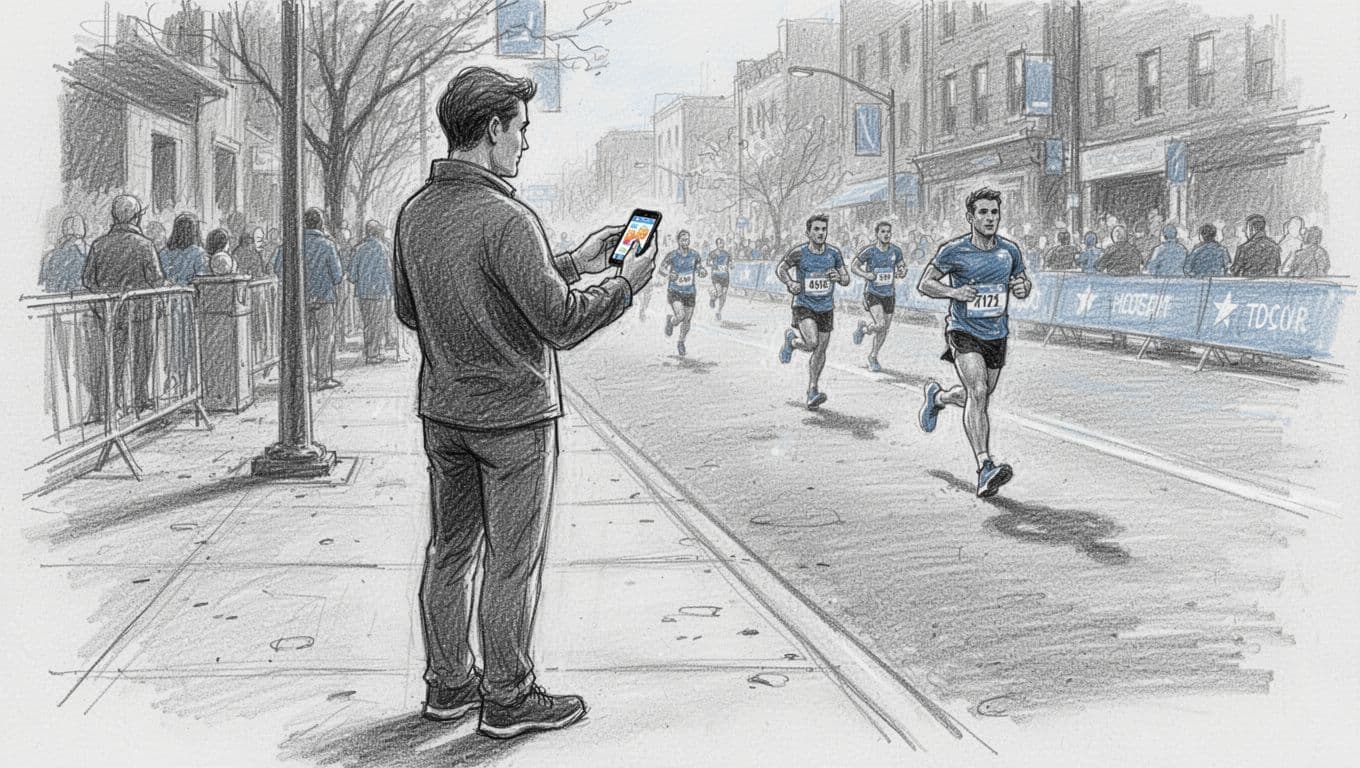
Search by bib number for faster, more accurate results
A bib number usually produces a cleaner search than a runner’s name. Several participants may share a common name, while a bib number points to one registered athlete. Ask your runner to send the number before race day so you can save the correct profile in advance.
You may find the bib number in the runner’s registration email, race packet, physical bib, or shared race plan. If your runner has a support group, add the number to the same message that includes the expected pace and meeting location.
The tracker may show no result if the athlete isn’t officially registered, the event selection is wrong, or race data has not started syncing. A blank profile before the start doesn’t automatically indicate a problem. Try again after the race begins, and confirm that you selected the marathon rather than another Philadelphia Marathon Weekend event.
Understand what live tracking can and cannot show
Race tracking usually depends on timing mats placed at checkpoints. When a runner crosses one, the system records a split and sends the update. As a result, information may arrive in batches instead of showing a second-by-second location.
A recorded split confirms that the timing system detected the runner at a checkpoint. An estimated position uses recent timing data to suggest where the athlete may be now. A confirmed finish means the system recorded the runner crossing the finish line, although results may remain unofficial until finalized, as the marathon race page explains.
A delayed update is usually a timing gap, not proof that something has gone wrong.
Use the runner’s expected pace as a second reference. If the tracker pauses between mats, wait for the next checkpoint before calling or posting an alarmed message. Personal updates from the runner or support team can add context, but official race data should remain your primary source.
How Philadelphia Marathon Live Tracking Works on Race Day
Philadelphia marathon tracking follows a runner through recorded checkpoints rather than a continuous GPS signal. The process starts when the race clock begins, continues through timing mats along the course, and ends when the system records the finish.
What timing mats and split updates tell you
A runner’s bib contains a timing chip or another scannable identifier. When the runner crosses a timing mat, the system records that passage and connects it to the athlete’s race profile. The tracker may then display a split, elapsed time, pace estimate, or course progress update.
The large race clock usually measures elapsed race time, often called gun time. It begins when officials start the race, even if your runner reaches the starting line several minutes later. The runner’s net time, also called chip time, begins when that athlete crosses the start line and ends at the finish. Chip timing explanations provide more detail on how mats record start and finish passages.
One delayed split shouldn’t cause alarm. Data can take time to move from the mat to the tracking page, especially when many runners cross together. Compare the latest update with two or three earlier splits. A steady pattern tells you more than one unusually slow or missing entry.
How to estimate the next checkpoint or finish time
Use the runner’s latest split and recent pace to create a simple estimate. Suppose a hypothetical runner crosses the halfway point at 2:00:00, example time, then reaches mile 18 at 2:45:00, example time. They covered six miles in 45 minutes, which equals a 7:30-per-mile pace.
If that pace continues, the runner may reach mile 20 about 15 minutes later, at roughly 3:00:00, example time. The remaining 6.2 miles would take about 46 minutes, placing the estimated finish near 3:46:00, example time.
These figures are planning tools, not promises. Hills, aid stations, restroom stops, weather, crowds, and course congestion can all slow the next section. Use the estimate to leave for a viewing point, then allow extra time so you aren’t sprinting to the curb as your runner passes.
Why the map location may not match the runner’s exact position
A course map may show the last timing checkpoint, not the runner’s current location. Some tracking systems also display an estimated position based on recent pace. That marker can sit ahead of or behind the athlete by several minutes.
The gap often comes from wide spacing between timing mats or a delay while race data uploads. Phone battery limits and network problems can also affect updates if the system uses participant devices. For that reason, treat the map as a progress guide, not a live GPS dot.
When the tracker pauses, check the last recorded split, the runner’s expected pace, and the time of day. Then choose your next cheering location with a buffer. A quiet tracker screen can still mean the runner is moving normally between checkpoints.
Where to Watch the Philadelphia Marathon and Meet a Runner
Philadelphia marathon tracking becomes more useful when you connect live split updates with a practical spectator plan. Choose one or two viewing points, check the current course information, and agree on a meeting place before race morning begins.
Choose cheering spots based on the runner’s pace
You don’t need to chase your runner across Philadelphia. In fact, trying to reach several points can leave you stuck behind barriers or arriving just after the runner passes. Choose one or two accessible viewing areas and build your plan around them.
Use the runner’s recent split data to estimate an arrival window. If the athlete has maintained a steady pace, calculate when they should reach your chosen point, then leave early. Add time for walking, security checks, crowded sidewalks, restrooms, road closures, and delays at transit stations.
A viewing point near the middle or later part of the course can provide meaningful support when fatigue begins to rise. Your runner may appreciate seeing a familiar face more at mile 18 than at mile 3. Check the current Philadelphia Marathon course information before choosing a location, since access points and spectator guidance can change each year.
Pick a spot you can reach comfortably, not the point that looks closest on a map.
Never try to cross the race course while runners are passing. Use pedestrian crossings only where race officials allow them, and follow instructions from course volunteers. A few extra minutes of walking is safer than cutting across an active lane.
Plan around Philadelphia roads, transit, and crowd movement
Before leaving home, review the current road closure notices, transit changes, parking limits, and official spectator guidance. Avoid relying on street-specific advice from an older race recap, because marathon routes, closures, and access rules may change for the current event.
A route that looks short on a map can take much longer on race morning. Barriers may block direct crossings, crowded sidewalks can slow your pace, and a train or bus may drop you farther from the course than expected. Check your walking route in advance, then add a generous buffer before the runner’s estimated arrival.
Weather also affects the plan. Wear layers, bring water, and carry a portable phone charger if you’ll be outside for several hours. Identify a restroom and indoor warming option near your viewing area when possible.
Set a clear post-race meeting plan
Agree on a meeting point before the race starts. Choose a specific landmark or the designated family reunion area listed in current event guidance, then share a backup location nearby. Avoid vague plans such as “meet near the finish,” where crowds can make a familiar area difficult to find.
Cell service may be weak when thousands of spectators use the same network. Decide what happens if calls and messages fail. For example, each person can wait at the primary location for a set period, then move to the backup point.
Your runner may need time to reach you after finishing. Medals, recovery areas, medical checks, gear retrieval, and crowded exit routes can all create delays. Keep Philadelphia marathon tracking open, but use it as a progress update rather than proof that the runner is already ready to meet.
How Runners Can Make Their Race Tracking More Reliable
Reliable Philadelphia marathon tracking starts before the starting gun. Give your support crew accurate details, test the official tools, and create a backup plan for the moments when updates arrive late or service drops.
Share the details your support crew actually needs
Send one clear message to everyone following you. Include your full registered name, bib number, race distance, expected finish range, planned viewing points, emergency contact, and post-race meeting place. Your bib number matters because it helps supporters find the correct athlete when several runners share a name.
Share a pacing range instead of one exact finish time. For example, a runner targeting 3:45 might tell family to expect a finish between 3:40 and 3:55. Weather, aid stations, hills, crowding, and fatigue can shift race pace even when training went well.
Add the runner’s expected arrival window at each viewing point. That gives supporters enough information to plan without requiring constant messages during the race.
Protect privacy while using public race tracking
Some runners are comfortable sharing live progress with close family but don’t want their name, location, or race status posted publicly. Before race morning, review the event’s tracking and privacy choices. The official Philadelphia Marathon app may provide current options for following athletes, notifications, and participant visibility.
Tell supporters not to post screenshots, live locations, or real-time updates on public social media without permission. A private family group chat is often a better choice. You can also decide whether supporters should share only split updates, a finish notification, or no live information at all.
This doesn’t require alarm or complicated rules. A simple agreement protects the runner’s preference while still helping loved ones follow the race.
Personal GPS watches and official timing systems serve different purposes. A watch records the runner’s route and pace, while race timing mats confirm passage at official checkpoints.
Prepare for battery, signal, and app problems
Charge your phone, watch, and any tracking device the night before. Update the official app before race morning, sign in, search for your own profile, and save the tracking page so supporters don’t have to troubleshoot while you race. The Philadelphia Marathon FAQ provides current event and access details that can affect spectator plans.
Carry a portable battery when race rules and your race kit allow it. Supporters should also write down the bib number, emergency contact, meeting point, and expected finish range. A printed course map and an agreed check-in time provide useful backup when cell service fails.
Use this compact race-eve checklist:
- Confirm the registered name, bib number, distance, and privacy choice.
- Test the official tracker and save the correct runner profile.
- Share viewing points, finish range, emergency contact, and meeting place.
- Charge devices and pack a portable battery when practical.
- Agree on what to do if live updates pause or messages fail.
No single digital tool should carry the entire plan. A charged phone helps, but a written meeting point and a patient support crew make race day far more dependable.
Troubleshooting Marathon Tracking Problems Before You Panic
A missing runner or frozen update can make race morning feel much longer than it is. Before assuming something is wrong, check the event name, registered spelling, bib number, internet connection, app version, and the latest notice from the official Philadelphia Marathon website.
The tracker cannot find the runner
Start with the event selection. Philadelphia Marathon Weekend includes multiple races, so you may be searching the half marathon, 8K, or another event instead of the marathon. Next, enter the runner’s registered name, not a nickname, shortened name, or social media handle. A bib number is usually the most precise search option.
Check each digit carefully, then confirm that the runner completed registration and appears in the current event system. Some trackers don’t show participants until race-day data goes live, so a blank result before the start may be normal. Also update the app if a newer version is available, close and reopen it, and switch between Wi-Fi and cellular service if the connection is unstable.
If the profile still doesn’t appear after the race begins, confirm the details directly with the runner or contact the race support team through the official marathon FAQ. Avoid posting the runner’s full name, bib number, phone number, or live location in public groups while asking for help. Use a private family chat instead.
The runner’s split has not changed
Timing mats are spaced along the course, so Philadelphia marathon tracking doesn’t provide a continuous GPS view. The runner can cover several miles before reaching the next checkpoint. After that crossing, connectivity and data processing can add more delay before the split appears.
Compare the last recorded time with the runner’s expected pace. If a participant usually runs nine-minute miles, a short gap between checkpoints may be reasonable. Check the race’s official alerts as well, because organizers may post information about timing delays, course conditions, or technology issues.
Wait at least 15 to 30 minutes after the expected checkpoint time before escalating a routine tracking delay. Refresh once or twice, rather than repeatedly watching the screen. If the gap becomes much longer than the runner’s expected pace, or the official race notice reports a system problem, contact race organizers through their designated support channel.
Tracking data shows checkpoint progress, not a confirmed safety status. A quiet screen alone cannot tell you how a runner is doing.
The finish time looks wrong or has not appeared
A finish notification may arrive late because the upload is delayed, a timing mat missed the bib, or the system needs to review a bib problem. A course change or a provisional result can also make the first posted time look incomplete or unusual.
Live results are working race-day records. Final certified results come after timing staff review missing reads, duplicate entries, course issues, and other corrections. Ask the runner to check the official Philadelphia Marathon app and results page, then follow the listed timing-support process if the finish remains incorrect.
If you have a genuine safety concern, contact official race medical or emergency channels. Don’t rely on social media speculation or tracking data alone to decide whether a runner is safe.
Choose Your Distance, Duration and Goal Time
Make three quick selections and open the exact plan built for your race target.
Looking for a Fully Personalized Training Plan?
The training plans above are an excellent choice if they match your goal. However, if you’d rather train with a plan built specifically around your current fitness, goal race, preferred training days, weekly mileage, and target finish time, our RDA Custom Training Plans provide a personalized solution. We also have running courses available for runners seeking to run faster from the mile to the marathon.
Why Choose a Custom Training Plan?
| Standard Training Plan | RDA Custom Training Plan |
|---|---|
| Follows a fixed schedule | Built around your schedule |
| Standard weekly mileage | Peak mileage customized for you |
| Fixed workout days | Train on the days you choose |
| Same structure for everyone | Designed around your current fitness |
| Static plan | Updated as your fitness improves |
| One-time purchase | Ongoing personalized coaching and support |
What You’ll Receive
- A training plan built specifically for your goal
- Personalized training paces
- Long runs, tempo runs, threshold workouts, interval sessions, recovery runs, and easy runs
- Peak weekly mileage matched to your experience level
- Flexible training schedule that fits your life
- Ongoing plan adjustments as your fitness improves
Ready to Train Smarter?
Stop guessing and start following a plan built specifically for you, your schedule, and your racing goals.
Build a Better Race-Day Tracking Plan for Family and Friends
Philadelphia marathon tracking works best when it supports the runner instead of turning race day into a live data watch. Set up the details in advance, agree on realistic timing, and give everyone a simple plan for before, during, and after the race.
The night before: save the information in one place
Create one shared note or private group message with the official Philadelphia Marathon race app tracking link, race date, event name, and bib number. Add the runner’s phone number, emergency contact, expected pace range, planned viewing points, and post-race meeting location.
Include a backup meeting spot in case the primary area becomes crowded. Confirm whether the runner wants live updates or photos shared publicly. Supporters watching from outside Philadelphia should also check the time zone on their phones and review notification settings. A missed alert can create unnecessary worry when the issue is only a time difference or a disabled app notification.
On race morning, supporters should charge their phones, open the correct event, confirm the saved runner profile, and carry the meeting details offline. The runner shouldn’t need to answer repeated questions while preparing to race.
During the race: track trends, not every refresh
Check the tracker at major checkpoints, then compare the latest split with the runner’s expected pace range. A timing update can arrive late, and a missing refresh doesn’t automatically mean the runner has stopped. The official Philadelphia Marathon website also provides current event updates for race-day changes.
A simple comparison helps keep expectations realistic:
- Official tracking shows recorded checkpoints and finish status, but it may not show the runner’s exact location.
- Personal GPS can show more frequent movement, but battery, signal, and device errors can affect accuracy.
- Text updates provide useful context, although the runner may not have time or energy to respond.
- In-person cheering offers direct encouragement, but road closures and crowd movement limit how many spots supporters can reach.
Constant refreshing rarely provides better information. Instead, it can make every short delay feel alarming. Send a brief message only when it fits the plan, such as, “We are at the agreed viewing point. Run your race and we’ll see you after the finish.” Other helpful messages include, “You are moving well, keep following your plan,” or, “No need to reply. We are cheering for you.”
After the finish: confirm the runner before celebrating online
An official finish notification may appear before the runner can answer a phone. They may still be collecting gear, visiting medical support, walking through the finish area, or recovering from the effort.
Wait at the agreed meeting location and check official results before assuming the runner is ready to leave. If plans change and messages fail, contact the emergency contact rather than posting a public appeal with personal details. After you reconnect, ask permission before sharing photos, finish times, or location information online. The Philadelphia Marathon FAQ includes current event guidance, but your agreed family plan should guide the final check-in.
Frequently Asked Questions
Philadelphia marathon tracking is straightforward once you know what the live data can show. These answers cover common race-day questions about cost, access, update timing, and tracking multiple athletes.
Is Philadelphia Marathon tracking free?
The official Philadelphia Marathon Weekend app is generally available as a free download, and following a runner doesn’t typically require a separate tracking fee. However, app features and event policies can change, so check the official race app information before race day. Your phone provider’s data charges may still apply if you use cellular service.
Can I track a runner without the app?
Yes, if the organizers provide a browser-based tracking page or results system for that race year. Start with the official Philadelphia Marathon website and use the current race-day instructions rather than an older saved link. You can also receive updates directly from the runner, although they may not check their phone during the race.
How often do Philadelphia Marathon updates appear?
Updates usually appear when the runner crosses an official timing checkpoint, not at a fixed number of seconds or minutes. The spacing between mats determines how long a runner may go without a new split. Data processing and heavy race-day traffic can add more delay, so a 15-minute gap doesn’t automatically indicate a problem.
Can I track more than one runner?
Most official race apps allow spectators to save multiple participants, often through a favorites or follow feature. Add each runner by bib number and confirm the race distance before race morning. Give every athlete a separate label in your notes, especially if family members are running different Philadelphia Marathon Weekend events.
What should I do if tracking stops?
First, check the last recorded split, the runner’s expected pace, and the official event notices. Refresh the page once or twice, verify your connection, and wait through a reasonable checkpoint window before taking further action. If the delay becomes far longer than expected or organizers report a timing issue, use the race’s designated support or emergency contact process.
A frozen tracker shows a gap in available data, not a confirmed medical or safety problem.
Does live tracking show the runner’s exact location?
Usually, no. Philadelphia marathon tracking relies on timing mats, so the app confirms where the runner last crossed a checkpoint or estimates progress from recent pace. The map marker may trail the athlete by several minutes, especially when checkpoints are widely spaced or updates upload slowly. Use it to plan when to cheer, not as a continuous GPS safety monitor.
Conclusion
Philadelphia marathon tracking helps family and friends stay connected while runners move through Philadelphia’s crowded streets. The official tracker can show checkpoint splits, pace estimates, and finish status, but it cannot provide a perfect live window into every mile. Updates may pause between timing mats, so spectators should read the data alongside the runner’s expected pace and the latest race announcements.
Runners can make race day easier by sharing their correct name, bib number, race distance, expected finish range, and meeting location before the start. Spectators should save those details, plan a realistic viewing route, and allow extra time for crowds, road closures, delayed updates, and post-race recovery.
Most importantly, treat tracking as a support tool, not a safety monitor. Combine official updates with patience, a thoughtful meeting plan, and encouraging messages that don’t demand a reply. Whether you’re standing along the course or watching from home, the best update is still the one that confirms your runner is moving forward and, soon, crossing the finish line.


