

Ottawa Marathon Tracker: Track Runners Live, View Splits & Results
Race day can leave you refreshing your phone, checking a loved one’s progress, following a training partner, watching an elite field, or confirming that a runner finished safely. The Ottawa Marathon tracker helps you stay connected when every split and course update matters.
The Ottawa Marathon is part of Tamarack Ottawa Race Weekend, and live race information may appear on the official race website, the event app, or a timing partner’s platform. However, finding the right tracker and locating one runner among thousands can take more than a quick search.
This guide explains how to search by bib number or name, read split times, understand the limits of GPS tracking, and fix common tracking problems. Start here to find the right Ottawa Marathon tracking tool and follow race progress with confidence. Remember, do not wait to book your Ottawa Marathon hotels. Reserve early and save money.
Key Takeaways
- Use the official Ottawa runner tracking page or race app to follow participants during Tamarack Ottawa Race Weekend.
- Search with a runner’s bib number when possible, since names may produce multiple matches.
- Read checkpoint splits alongside elapsed time to understand pace and progress, not just the runner’s location.
- GPS updates can lag or appear inaccurate, so treat the tracker as an aid rather than a perfect live view.
- Check official results after the finish for verified times, placements, and race details.
What the Ottawa Marathon Tracker Shows on Race Day
An Ottawa Marathon tracker usually combines several kinds of race information in one place. Depending on the year, the official event website, race app, or timing provider may show a runner’s name, bib number, event, elapsed time, split points, estimated finish, and finish status.
Build Your Running Performance System
Move from research to action with training, recovery, nutrition, pacing, and performance tools built for runners.
More Guides for This Runner Goal
Features can change between race weekends, so check the current official Ottawa runner tracking page instead of relying on an old bookmark or third-party link.
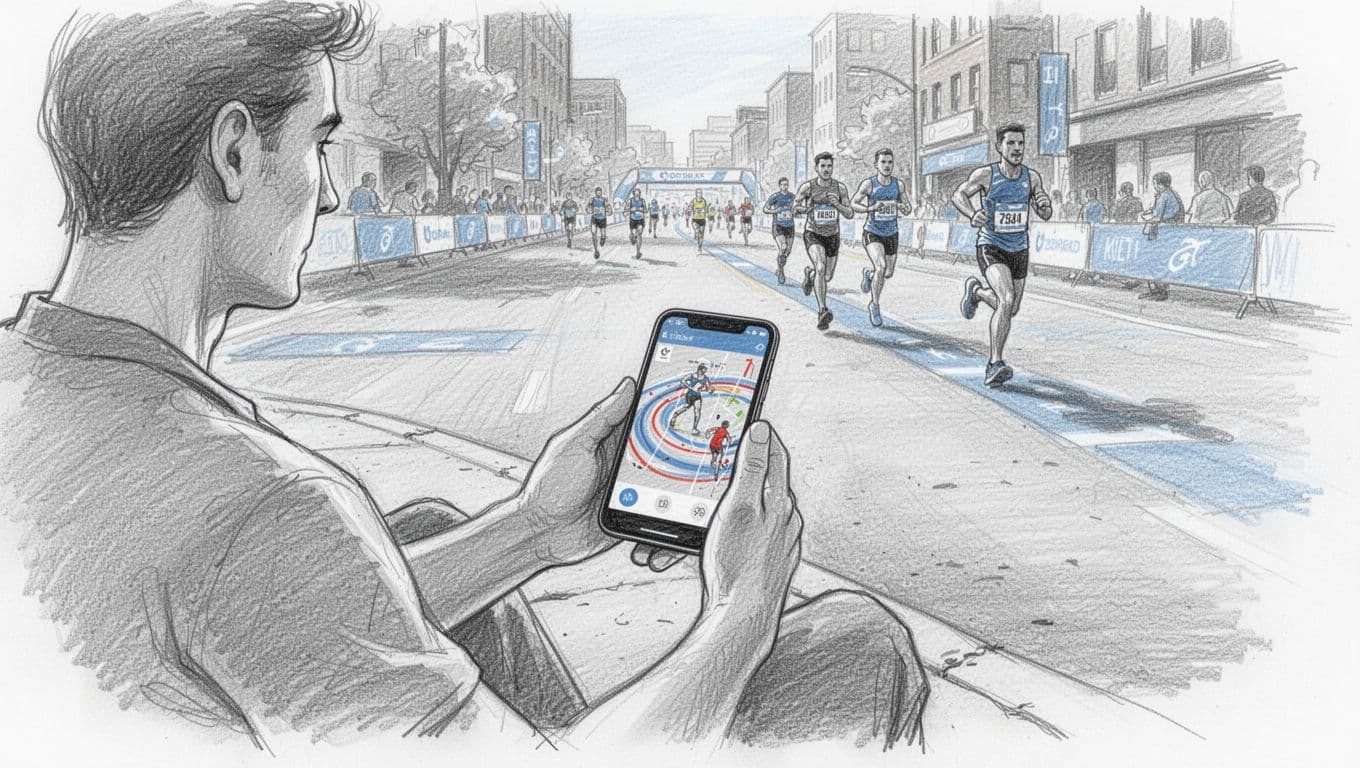
Official live timing, GPS maps, and finish results are not the same
Official live timing records when a runner crosses timing mats placed at key points on the course. Those checkpoints may show elapsed time, split time, pace, and an estimated finish. Because the system records mat crossings directly, it is usually the most reliable option for confirming official checkpoint progress.
However, timing mats don’t track every step. A runner may pass several miles without a new update, so the tracker can appear still while the athlete continues moving.
GPS tracking works differently. It depends on location data from a runner’s phone or GPS watch, which can show a moving dot or approximate route. GPS may update more often, but buildings, crowded roads, weak signals, battery limits, or device settings can cause delays and inaccurate positions.
Official timing is best for verified checkpoint times. GPS is better for seeing approximate movement between those checkpoints.
Final results come after race officials review the day’s records. They may include the runner’s finish time, overall place, gender or age-group place, and chip time. Early finish displays are sometimes unofficial, and a posted result can change after corrections, missing data reviews, or race-official decisions.
Which Ottawa Race Weekend event should you select?
Tamarack Ottawa Race Weekend includes several events, and selecting the wrong distance can lead you to the wrong runner or an empty search. Before entering a name, check three details:
- Confirm the runner’s registered event, such as the Ottawa Marathon, Ottawa Half Marathon, or Ottawa 10K.
- Match the bib number to the runner’s registration information.
- Verify the race date, since events take place across the weekend.
The Ottawa Marathon covers the full 26.2-mile distance, while the Ottawa Half Marathon covers 13.1 miles and has separate timing records. The Ottawa 10K has its own course, start time, bib range, and result list. Other weekend races may include shorter community events or youth-focused races, each with a separate tracking category.
If a common name returns several entries, use the bib number and event together. The Tamarack Ottawa Race Weekend app may also provide runner updates, but its available features can vary each year.
How to Use the Ottawa Marathon Tracker Step by Step
Race-day tracking works best when you prepare before the starting gun. Open the Tamarack Ottawa Race Weekend website or the current race app, then find the live results or participant tracking page. Select the correct event before searching, because the marathon, half marathon, 10K, and shorter races use separate records.
Search by bib number first, then confirm the runner’s name
Collect these details before race morning:
- The runner’s full registered name.
- Their bib number.
- Their registered event.
- Their expected pace range or finish-time goal.
Enter the bib number first whenever you have it. A bib usually points to one registration, while a name search can return several runners with the same surname and first name. Spelling differences can also cause problems. A runner may use a shortened first name, a middle name, or a registration name that differs from what family and friends call them.
If the name search shows multiple results, compare each entry with the event and bib number. Check the runner’s event carefully, since selecting the Ottawa Half Marathon instead of the Ottawa Marathon may produce an empty search or the wrong participant.
Before you share a split or projected finish time, confirm the result matches the runner you know. A quick check can prevent confusion in a family group chat, especially when several participants have similar names.
Search results identify a registration, not always the name people use in everyday life. The bib number and event together provide the safest match.
When the platform offers a favorite, bookmark, or share option, save the runner’s tracking page before the race starts. You can also copy the page link into your notes or send it to family members. Avoid entering phone numbers, passwords, payment details, or other personal information into unofficial pages that copy Ottawa Marathon branding.
Build a simple tracking plan for multiple runners
Following several athletes becomes difficult when races overlap. Before race day, write one line for each runner with their event, bib number, start time, and likely checkpoint times. Add an approximate finish window based on the runner’s expected pace.
For example, your list might separate a marathon runner from a half marathon participant who shares a similar name. That small distinction prevents you from celebrating the wrong split or waiting at the wrong finish area.
Agree on responsibilities before the races begin. One person can monitor the Ottawa Marathon tracker, while another watches the half marathon or checks messages. Decide who will meet each runner after the finish, and choose a meeting point away from the busiest finish-line exits.
Refresh the tracker at sensible intervals rather than constantly reloading it. Check after expected timing points, and allow extra time when crowds or network traffic delay updates. If a saved page stops responding, return to the official tracking page, select the event again, and search by bib number.
How to Read Split Times, Pace, and Estimated Finish Data
The Ottawa Marathon tracker becomes more useful when you read its updates as a pattern rather than a stream of alerts. Timing mats, elapsed time, pace, and estimated finish data each answer a different question about the race.
What checkpoint updates can tell you about a runner’s race
Timing mats record when a runner reaches official checkpoints. Common split points may include 5K markers, 10K, the halfway point, and later sections of the marathon. A split is the time between two checkpoints, while elapsed time is the total race time since the relevant start point.
Compare several consecutive splits before judging a runner’s condition. Similar times suggest a steady pace. A much faster early split may show an opening surge, while gradually longer splits can indicate fatigue, hills, heat, or a planned slowdown.
A single slow split rarely tells the whole story. Runners may lose time while taking fluids, moving around a crowded turn, or adjusting their shoes. If one checkpoint is missing, the timing system may still be processing the crossing or experiencing a delayed upload.
Wait for the next official update before assuming something went wrong. The next mat usually provides better context than speculation based on an incomplete tracker.
Why the tracker’s pace may not match the runner’s watch
The tracker usually calculates pace from official timing mats and measured course distance. A runner’s watch may show GPS pace, moving pace, average pace, or elapsed race time, so the two displays can differ without indicating a problem.
GPS pace estimates speed from satellite location data. Tall buildings, tree cover, tunnels, crowded roads, and temporary signal loss can make the watch record a curved route or miss small sections. Moving pace excludes periods when the watch thinks the runner stopped, while average pace includes the entire recorded period.
Gun time begins when the starting signal fires. Chip time, also called net time, begins when the runner crosses the start mat and ends at the finish mat. A runner near the back of a large field may show a slower gun time because of the wait before crossing the line, even though chip time more closely reflects their personal race effort. For a basic explanation of the distinction, see this gun time and chip time discussion.
Small differences are normal. Timing mats measure official checkpoints, while a watch estimates movement between them.
How to estimate a finish without panicking over one slow split
Start with the runner’s chip time, the distance covered at official mats, and the pace from several recent splits. Then compare those numbers with the runner’s planned race strategy. A marathoner averaging 5:40 per kilometer might project a finish near four hours, but that estimate assumes the pace remains fairly consistent. It is not a guarantee.
Water stations, packed corners, hills, wind, heat, and brief stops can slow one section. The runner may regain that time later, or the slowdown may reflect a deliberate effort to protect their legs.
Focus on the trend across multiple checkpoints. If total time and distance continue moving normally, one unusual reading deserves patience rather than panic. When possible, use direct communication after the race or rely on the next official update instead of guessing from a delayed number.
When the Ottawa Marathon Tracker Is Delayed or Not Working
A delayed Ottawa Marathon tracker often reflects a technical gap, not a problem with the runner. Timing mats can become crowded, cellular service may weaken around dense crowds, and the data feed may take several minutes to update. The runner may also be moving normally but still be between official checkpoints.
Start with the official Ottawa runner tracking page before trying unfamiliar tracking sites. Then work through this short sequence:
- Confirm that you selected the correct race, date, and event.
- Recheck the runner’s bib number, including any leading zeros.
- Refresh the page after a few minutes instead of repeatedly reloading it.
- Try another browser or the official race app.
- Check the official Run Ottawa website and verified race social accounts for service notices.
- Ask the event information desk for help if you are at the race venue.
Save the runner’s name, bib number, event, and expected finish window before the start. Supporters with limited data should use a stable Wi-Fi connection when available, close other apps, and avoid loading several tracking pages at once. If the site includes a favorite or alert feature, set it up before race morning.
What a missing split means, and when to seek help
A missing split alone doesn’t prove that a runner stopped, missed the course, or needs assistance. The next timing mat may not have registered the crossing yet, or officials may still be processing a delayed upload. Battery trouble can affect a phone-based GPS signal, while official timing can continue separately.
Look at the runner’s last confirmed checkpoint and compare it with the expected pace. Allow extra time for crowded mats, aid stations, course congestion, and weak service. If several expected updates remain absent, the runner’s likely finish window has passed, and you can’t reach them, contact race officials through the event’s help process.
Supporters should avoid posting guesses in group chats or social media. Check the finish area, ask the information desk for direction, and let event staff handle welfare questions. A calm, verified report is far more useful than a rumor based on one blank split.
How supporters can avoid fake tracker links and bad information
Begin with the race website, a verified race account, or a link shared directly by Tamarack Ottawa Race Weekend. Before entering a bib number, inspect the domain, confirm the event name, and check that the page matches the current race year.
Be cautious if a page asks for payment to view basic results, requests a password, or seeks unnecessary personal details such as a phone number or credit card information. Fake pages often copy race colors and wording, so appearance alone proves nothing.
Use the official app or timing page whenever possible. If a link arrives through a message, compare it with the event’s main website before opening it. Reliable race information should help you find a runner, not pressure you to pay or share sensitive data.
Use Live Race Tracking Without Distracting the Runner
Live tracking should support the race, not take over it. A runner needs to stay with their pace plan, fueling schedule, and mental focus, while supporters use updates to stay calm and organized. Since many runners won’t watch incoming messages during the Ottawa Marathon, don’t expect an immediate reply.
The official Ottawa runner tracking page and race app can help spectators follow checkpoint progress without repeatedly contacting the athlete.
Create a race-day communication plan before the start
Families and training groups often discuss tracking but forget the practical details. Set the plan before the runner enters the starting corral, when everyone still has time to think clearly.
Agree on these points:
- Send one pre-race check-in after the runner arrives, then let them focus.
- Choose one emergency contact who can coordinate information for the group.
- Share the runner’s expected finish range, such as 3:45 to 4:00 p.m.
- Pick a primary meeting location and a backup point away from the finish-line crowd.
- Decide whether the runner wants messages during the race or no contact until they finish.
- Charge phones fully, carry a small power bank, and identify who has a charger.
- Bring water, warm layers, snacks, and any needed medication to the meeting point.
Road closures, barriers, and crowd movement can make a planned location difficult to reach. Use checkpoint data to choose a practical spectator area, then allow enough time to walk around blocked streets. A coffee shop, public entrance, or cross street may work better than a precise spot beside the finish chute.
Write the plan in a shared note so nobody depends on one person’s memory. A clear agreement reduces stress for everyone, especially when the tracker pauses or phone service becomes unreliable.
Choose useful spectator updates instead of constant messages
Supportive messages should give the runner confidence without pulling attention away from the course. Send one short note at a meaningful point, such as a halfway checkpoint or a section where the runner planned to reassess effort.
Useful messages include:
- “Your plan is working. Keep the effort steady.”
- “We’re ready at the meeting point. No need to reply.”
- “You looked strong at the checkpoint. Keep fueling.”
Avoid judging performance from every pace change. A slower split may reflect an aid station, congestion, wind, or a deliberate adjustment. Sending urgent messages about each update can create pressure when the runner needs to stay relaxed.
GPS links also carry privacy concerns. Share a runner’s location only with trusted people, avoid posting the link publicly, and turn off public sharing after the race ends. The best spectator message often gives the runner support and complete freedom to keep running without checking their phone.
After the Finish: Verify Results, Save Splits, and Learn From the Race
Crossing the finish line ends the race, but your Ottawa Marathon tracker work isn’t quite finished. After you recover, verify the official record, save your splits, and review the race with enough context to learn from it.
Read your official results beyond the finish time
Start with the official Ottawa Marathon race results once the timing system has finished updating. Search by bib number or name, then confirm that the event and race year are correct. Save the result page as a PDF or screenshot, and download a finish certificate if the event provides one.
Review each part of the record:
- Chip time measures the period between your start-mat crossing and finish-mat crossing. It usually reflects your personal race time more accurately than gun time.
- Gun time begins with the official starting signal. It can include time spent waiting in a large starting field.
- Overall placement shows where you finished among all runners in your event.
- Age-group placement compares your result with runners in your age category.
- Finish status confirms whether the system lists you as finished, incomplete, disqualified, or otherwise under review.
Results may remain unofficial while organizers check timing data, course records, missed mats, or race-day corrections. A preliminary finish time can change, so check the page again later if the status still says unofficial.
Your splits deserve the same attention as the final number. Compare the first half with the second half, then look for steady pacing or a sharp slowdown late in the race. A strong second half may show that you controlled your effort well. Longer final splits can point to pacing, fueling, weather, hills, or accumulated fatigue.
A finish time tells you what happened. Your split pattern helps explain why it happened.
Compare the result with your plan, not with an idealized race. Did you hold the intended pace? Did you fuel on schedule? How did wind, heat, congestion, and course demands affect your effort? Record those answers while the details are fresh. Your next training cycle should respond to patterns, not punish you for one difficult day.
What to do if a result or split is missing
Give the results system time to process after the finish. Large races may need additional time to upload every mat crossing and reconcile records, especially when many runners cross together. Check again later, and confirm that you selected the marathon rather than another Tamarack Ottawa Race Weekend event.
If your finish or split remains missing, contact the timing company through the official race information page. Include your bib number, full name, event, race date, approximate finish time, and the checkpoint that appears missing. Photos near the finish, watch data, finish-line video, or messages showing your race progress may also help officials investigate.
Keep your report factual and concise. Timing staff can compare your details with mat records and other race information, then correct the result when the evidence supports it.
Choose Your Distance, Duration and Goal Time
Make three quick selections and open the exact plan built for your race target.
Looking for a Fully Personalized Training Plan?
The training plans above are an excellent choice if they match your goal. However, if you’d rather train with a plan built specifically around your current fitness, goal race, preferred training days, weekly mileage, and target finish time, our RDA Custom Training Plans provide a personalized solution.
Why Choose a Custom Training Plan?
| Standard Training Plan | RDA Custom Training Plan |
|---|---|
| Follows a fixed schedule | Built around your schedule |
| Standard weekly mileage | Peak mileage customized for you |
| Fixed workout days | Train on the days you choose |
| Same structure for everyone | Designed around your current fitness |
| Static plan | Updated as your fitness improves |
| One-time purchase | Ongoing personalized coaching and support |
What You’ll Receive
- A training plan built specifically for your goal
- Personalized training paces
- Long runs, tempo runs, threshold workouts, interval sessions, recovery runs, and easy runs
- Peak weekly mileage matched to your experience level
- Flexible training schedule that fits your life
- Ongoing plan adjustments as your fitness improves
Ready to Train Smarter?
Stop guessing and start following a plan built specifically for you, your schedule, and your racing goals.
Frequently Asked Questions
The Ottawa Marathon tracker answers most race-day questions, but a few details can still cause confusion. Use the correct event, bib number, and race year before judging a missing update or unexpected result.
Can I track an Ottawa Marathon runner by name?
Many official race platforms allow supporters to search for a runner by name. However, a bib number is more accurate because names can produce multiple matches or no match when registration details differ.
Spelling, privacy settings, shortened names, and the selected event can all affect the search. If a name search fails, confirm the runner’s registered name, race distance, bib number, and year before trying again.
Does the Ottawa Marathon tracker show a runner’s exact location?
Official timing usually shows progress at checkpoints, such as a 5K marker, halfway point, or finish mat. It doesn’t provide a continuous live location between those timing points.
An exact map position depends on the runner sharing GPS data through a supported phone or watch service. Even then, buildings, crowds, weak cellular service, battery limits, and device settings can delay or distort the location.
Why has my runner’s Ottawa Marathon update not changed?
The runner may still be between checkpoints, especially when timing mats are spaced several miles apart. Course congestion, a crowded timing mat, weak service, or a delayed data upload can also make the tracker appear frozen.
First, confirm the event, race year, and bib number. Then wait for the next expected update instead of refreshing constantly. If the delay becomes unusually long after the runner’s likely finish window, contact official race support through the Tamarack Ottawa Race Weekend information page.
What is the difference between chip time and gun time?
Gun time begins when officials start the race. Chip time usually begins when the runner crosses the starting timing mat and ends when they cross the finish mat.
That difference matters in a crowded marathon field. A runner near the back may wait several minutes after the gun, so their chip time can better reflect the time they personally spent racing.
Can I track more than one runner at the same time?
That depends on the current timing platform or race app. Some systems allow several saved athletes, while others work better with separate pages or browser tabs.
Record each runner’s event and bib number before race morning. When supported, save individual tracking pages or open one tab per runner so a marathon result doesn’t get confused with a half marathon or 10K result.
Where can I find official Ottawa Marathon results after the race?
Start with the official live results and runner tracking page, which links participants to current race information and results. Run Ottawa may direct you to its timing provider, Sportstats, for the final result record.
Always verify the race year and event before trusting a result page. The marathon, half marathon, 10K, and virtual events have separate records, even when runners share similar names.
Conclusion
The Ottawa Marathon tracker is most useful when paired with a simple plan and realistic expectations. Start with the official event source, select the correct race, and search with the runner’s bib number. Then read checkpoint trends instead of reacting to one isolated number, allow time for delays, and verify the final results after the finish.
Used this way, the tracker reduces uncertainty without taking attention away from pacing, fueling, and reaching the finish line. It gives supporters a clearer view of race progress while runners stay focused on the work in front of them.


