

Insta360 GO Ultra Review: Is It Worth It for Runners?
Before sunrise, you clip a tiny, hands-free camera to your shirt, hat, or chest and head out for a training run. It captures your easy miles, race-day effort, and the blur of a scenic route without forcing you to hold a phone or alter your stride. That freedom is appealing, but runners need more than a small camera and impressive sample footage.
This Insta360 GO Ultra review focuses on real-world use during running. We’ll look at video quality, stabilization, mounting security, battery life, comfort over longer sessions, editing, durability, price, and overall value. A camera can record sharp footage yet still disappoint if it shifts during intervals, runs out of power before a long run ends, or creates too much work after you get home.
Because camera hardware and software can change, check Insta360’s latest official specifications, firmware notes, app features, and current pricing when you read this review. The final verdict will weigh where the GO Ultra fits best, whether you’re documenting progress, reviewing form, or capturing race memories, and which runners should consider another option. First, let’s examine how this compact camera performs when the pace rises and the miles accumulate.
What Is the Insta360 GO Ultra, and Who Is It Really For?
The Insta360 GO Ultra is a wearable action camera built for hands-free video. Its small camera body clips or mounts to your clothing, hat, or other gear, so you can record movement without gripping a phone or holding a traditional action camera.
That design matters most when your attention belongs on the road, trail, or workout. In this Insta360 GO Ultra review, the key question is not whether the camera is small. It is whether that small design captures useful footage without distracting you from the run.
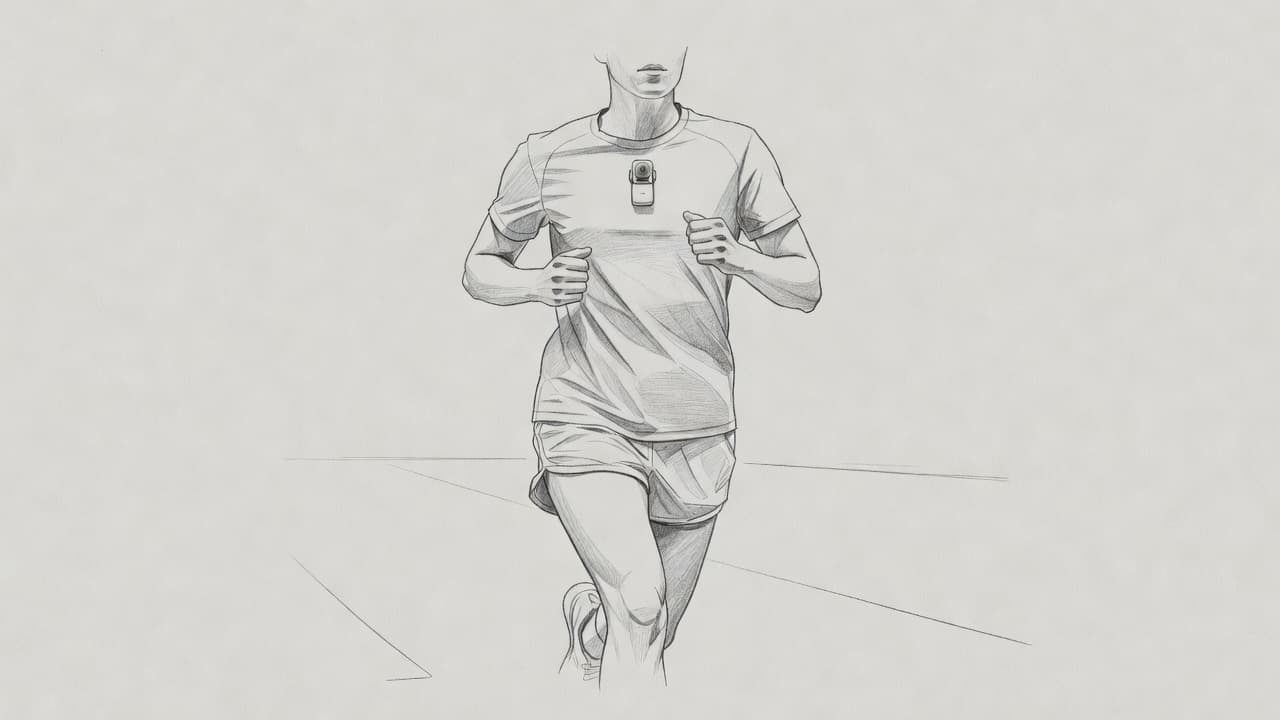
A Wearable Camera Built Around Movement
A standard action camera usually sits in a larger housing with a visible screen, physical controls, and a conventional mount. A smartphone offers a larger sensor and screen, but carrying one in your hand changes how you move and limits what you can record safely.
The GO Ultra takes a different approach. You position the camera before starting, then let it record a first-person view while your hands remain free. Its companion app handles setup, transfers, editing, and sharing after the session.
For runners, that can mean recording a chest-level view of a tempo workout, a downhill section, or the final stretch of a race. A coach could also use the footage to review arm carriage and posture, although the camera angle won’t replace a proper side-view form check.
The official Insta360 GO Ultra beginner’s guide focuses on this hands-free point-of-view purpose. That use case separates the GO Ultra from a phone, even when both can produce shareable clips.
Who Should Buy the Insta360 GO Ultra?
The ideal buyer is a runner who wants useful footage without turning every workout into a filming project. It fits people who want to:
- Capture point-of-view clips during easy runs, races, and trail sessions.
- Review selected portions of a workout or observe movement from the runner’s perspective.
- Record route highlights for social media without carrying a camera in hand.
- Document training progress while keeping their normal stride and rhythm.
Cyclists, hikers, coaches, and creators can benefit for the same reason. The camera stays close to the action while the user focuses on movement, terrain, or instruction.
Who Should Choose a Larger Camera?
A larger action camera may suit you better if you need extended recording, frequent framing changes, stronger control over settings, or a screen you can monitor during filming. A smartphone is also the better choice for interviews, detailed landscape shots, and quick clips where image composition matters more than hands-free operation.
The GO Ultra makes the most sense when low weight and minimal distraction matter more than maximum control. Before buying, confirm the current product name, launch information, supported features, and app compatibility on Insta360’s official product materials, since those details can change with firmware and new releases.
Insta360 GO Ultra Video Quality in Real Running Conditions
The Insta360 GO Ultra’s running footage depends on more than resolution. Lighting, mounting angle, stabilization mode, lens perspective, and export settings all shape the final clip. Daylight roads should look cleaner than shaded trails, while sunrise, sunset, and indoor treadmill footage will reveal limits in exposure and detail.
Does the stabilization keep footage smooth at race pace?
During an easy run, the GO Ultra can produce watchable footage even as the camera rises and falls with each stride. Stabilization smooths the sharp jolts, so pavement, sidewalks, and steady paths look more natural than the raw camera movement suggests. However, the result still has a runner’s rhythm. It won’t look identical to footage from a steady handheld camera or gimbal.
Intervals expose more weakness. Fast arm movement, harder breathing, and a changing head position can create brief jolts, especially with a loose shirt mount. Downhill running adds another challenge because each landing sends more force through the body. On uneven trails, stabilization helps keep the scene understandable, but rocks, roots, and sudden foot placement changes can still produce visible bounce.
The software may also crop the image to stabilize the frame. That reduces the effective field of view and leaves less room for reframing afterward. A wide perspective helps capture the road or trail, but it can make nearby movement look more exaggerated. If you plan to crop for a vertical social clip, record with enough space around the subject.
Mounting matters as much as the camera. A firm chest mount usually produces a more consistent view than fabric that flexes with every step. Hat mounting can follow head movement well, but it may point too high or swing during quick turns. Before a key workout, test these positions:
- Chest mount for a stable view of the route and arm swing.
- Hat mount for a natural eye-level perspective.
- Shirt or clip mount only when the fabric stays tight and secure.
Keep your torso tall, avoid excessive shoulder rotation, and shorten your stride slightly on rough descents. Those adjustments reduce movement before the software processes it. Real-world owner feedback, including complaints about disappointing video quality, also shows why testing GO Ultra video quality reports matters more than relying on marketing footage alone.
How the camera handles sound, wind, and runner commentary
The built-in microphones can capture normal conversation during an easy run, especially when the camera faces forward and sits away from rubbing fabric. That makes short coaching notes, route observations, and post-workout reactions useful. During intervals or race efforts, heavy breathing and footstrike noise quickly compete with speech.
Wind is the larger problem outdoors. Open roads, downhill speed, and exposed ridgelines can overwhelm a runner’s voice, while a chest mount may pick up shirt movement. Enclosed accessories can also muffle sound or trap rubbing noise, so check the audio before committing to a full workout.
For a calm group run, the camera may record nearby comments, but it won’t isolate your voice reliably. Use a phone recording for planned narration or an external microphone when clear speech matters. In most race videos, the strongest approach is to capture the visual effort first, then add a voice-over afterward. That produces cleaner commentary without expecting a tiny wearable camera to defeat wind, breathing, and constant body movement.
The Running Experience: Mounts, Comfort, Controls, and Battery Life
The GO Ultra works best when you treat mounting as part of your training setup, not a last-second accessory choice. A secure attachment keeps the horizon level, protects the camera during hard efforts, and lets you start recording without changing your stride.
Which mounting setup works best for training footage?
The chest position is the strongest choice for route footage and form-related context. It stays relatively steady and shows the road, arms, and nearby runners. However, a loose shirt can create bounce, and the camera may point toward the ground when you lean forward. A magnetic pendant works best over a firm, close-fitting shirt rather than a loose singlet.
A hat mount produces the most natural point-of-view footage. The lens follows your gaze, which works well for trails, race-day clips, and scenic routes. The tradeoff is movement during head checks, climbs, and sharp turns. A headband or dedicated head mount has the same advantage, but it can feel warmer and may shift as sweat builds.
The Easy Clip or shirt clip is quick and comfortable for casual runs. It suits short clips and group footage, yet fabric movement can tilt the frame or loosen the camera during sprints. For a fixed roadside shot, use a stable tripod or pivot stand where local rules and safety allow. That angle is far better for checking stride mechanics than any chest or hat position.
Before a key workout, record 10 seconds at easy pace and 10 seconds at interval pace. Check that the mount doesn’t rock, the lens isn’t blocked by fabric, and the horizon sits near level. Wipe sweat or spray from the lens, then confirm the camera’s status light, sound, or Action Pod preview before you start.
Can it survive sweat, rain, dust, and everyday training?
The camera body carries an IPX8 waterproof rating, with Insta360 listing protection to 10 meters under its stated test conditions. That protects against water immersion, but it doesn’t make every part of the system waterproof. The charging case or Action Pod has its own rating, so keep it out of heavy rain and never assume the camera’s rating covers the complete kit.
For ordinary sweat and light rain, the camera needs no extra housing. Swimming, muddy trails, heavy downpours, and saltwater deserve more care. Use the approved waterproof accessory when Insta360 specifies one, and rinse salt or grit with clean fresh water before drying the camera. Avoid opening covers while the device is wet.
A lens guard helps with scratches, but it can collect droplets and reduce image clarity. Clean the lens with a soft microfiber cloth, inspect the mount for grit, and let the camera dry fully before storage. The small body is comfortable during long runs, yet a fall on rock or contact with another runner can still damage it. Secure the mount, use a safety tether where supported, and store the camera separately from damp clothing.
Editing Insta360 GO Ultra Footage for Training and Social Media
The Insta360 GO Ultra becomes more useful after the run, when you turn raw footage into clear training evidence or short social clips. A simple editing routine prevents hours of scrolling through shaky, repetitive video.
A simple workflow for turning one run into useful clips
Start by deciding what you want to capture. A route montage needs scenic sections, while a form review needs a stable angle and consistent pace. Record short segments instead of one continuous file. Short clips transfer faster, take less phone storage, and are easier to review later.
After the run, transfer the files to the Insta360 mobile app or desktop software. Use the app’s automatic highlights as a first pass, then choose the strongest moments yourself. Automatic selections can find movement and scene changes, but they may miss the exact hill, stride pattern, or race effort you want to study.
Reframe each clip before exporting. Use subject tracking to keep a runner centered, then adjust the field of view manually when tracking loses the subject. Choose 9:16 for Instagram Reels and YouTube Shorts, 1:1 when a square post fits the purpose, or 16:9 for standard YouTube and wider training reviews. A runner can turn one workout into several pieces:
- A route montage with quick cuts and light music.
- A form review showing posture, arm movement, or foot placement.
- A race recap with the start, key sections, and finish.
- A motivational clip with the hardest interval and a short caption.
Add pace, distance, heart rate, or route context only when the data is accurate. GPS overlays may come from compatible Insta360 tools or another app, but review the map before sharing. A public overlay can reveal your home, workplace, or regular training route. Crop or remove location data when privacy matters.
The Insta360 app handles reframing, tracking, speed changes, captions, music, and basic exports. Desktop software or a third-party editor offers more control over audio mixing, color, titles, and multi-angle form reviews. Expect some learning time, especially when reframing 360-degree footage or managing tracking points. For practical filming ideas, this running video guide shows how runners use action cameras and tripods.
Export at the platform’s recommended resolution and frame rate, and avoid repeated re-exports. Keep the original camera files on a computer or external drive for coaching, future edits, or a cleaner export when your editing preferences change. This preserves the workout before compression removes detail.
Insta360 GO Ultra Pros and Cons for Runners
The Insta360 GO Ultra earns its place in a runner’s kit through convenience, not maximum image control. It can capture a workout without occupying your hands, but its small size also creates limits that matter during serious training.
The biggest advantages for runners
The camera’s compact body disappears against a shirt, hat, or chest mount. That makes it easier to record a natural stride than holding a phone or carrying a larger action camera. For race footage, trail sections, and short training clips, hands-free recording is the main benefit.
Stabilization also helps reduce the harsh bounce caused by footstrikes. It won’t remove every jolt during intervals or technical descents, but it keeps much of the footage watchable. Flexible mounting adds another advantage because you can choose a chest-level view for route context or a hat position that follows your gaze.
Other strengths include:
- Quick capture without stopping to frame every shot.
- Reframing options that help adapt footage for vertical or horizontal platforms.
- A lightweight design that creates less distraction during long runs.
- Useful footage for reviewing sections of a workout, provided the camera stays secure.
That combination makes the GO Ultra more practical for casual documentation than a conventional camera.
Where the GO Ultra falls short
Small hardware has tradeoffs. Low-light footage can lose detail and look noisier than daylight clips, so pre-dawn runs, shaded trails, and evening workouts may not show pace or terrain clearly. Wind and heavy breathing also limit the usefulness of built-in audio during hard efforts.
Standalone battery life can restrict longer runs, especially when stabilization, high-resolution recording, or repeated takes increase power demand. Heat may become another concern during extended recording or warm-weather sessions. You may need the charging case, spare power, or additional mounts, which raises the total cost beyond the camera itself.
The app is part of the workflow, not an optional extra. Transferring files, reframing clips, tracking subjects, and exporting video can take time and phone storage. A scratched lens area can also ruin footage before you notice the problem.
Which runners benefit most?
The GO Ultra suits runners who want route memories, race clips, or occasional form observations. For measurable performance, however, a stable roadside camera, dedicated form video, GPS data, and coach feedback provide stronger evidence.
Choose the GO Ultra when convenience drives the purchase. Choose a larger camera when recording duration, low-light clarity, audio, or precise framing matters more than wearing the smallest possible device.
How the GO Ultra Compares With Other Small Action Cameras
The GO Ultra sits between a phone and a traditional action camera. It is smaller and easier to wear than a GoPro HERO or DJI Osmo Action, but those larger cameras usually offer longer recording, stronger controls, and more flexibility in difficult light. A phone can produce excellent detail, yet carrying it in your hand changes the run and makes recording awkward.
The right choice depends on what you want the footage to accomplish. For a quick comparison, consider these practical differences:
| Camera type | Best advantage | Main compromise |
|---|---|---|
| Insta360 GO Ultra | Hands-free point-of-view footage | Shorter recording and less control |
| GoPro HERO | Strong stabilization and durable mounts | Larger, heavier body |
| DJI Osmo Action | Long sessions and robust outdoor use | Less discreet when worn |
| Smartphone | Detail, low-light control, and editing | Requires carrying or mounting |
| Older Insta360 GO | Small size at a lower used price | Older image quality and support |
For broader buying context, this action camera comparison guide is useful when you are weighing full-size models against compact options.
Which camera should you choose for your running goals?
Your running goal should decide the camera, not the camera’s smallest dimensions.
- Choose the GO Ultra if you’re a minimalist runner. It works best for hands-free clips, race memories, and short route videos. The tiny body stays out of your way, and its wearable mounts require less planning than a phone or larger camera.
- Choose a GoPro HERO or DJI Osmo Action for marathon recording. Their larger batteries, replaceable power options, and conventional mounts are better suited to long races. You can also carry spare batteries or power banks more easily. The GO Ultra is better for selected clips than nonstop marathon coverage.
- Choose a standard action camera for rough weather and technical trails. A larger body and stronger mounting ecosystem provide more confidence when rain, mud, wind, or falls are likely. The GO Ultra handles ordinary training conditions well, but its small mount can shift on loose clothing.
- Use a phone or tripod-mounted action camera for form analysis. Chest and hat footage show your running perspective, not a reliable side profile. A stationary camera placed several yards away gives a coach far better evidence of posture, stride, and arm movement.
- Choose the GO Ultra for short vertical videos. Its hands-free perspective and mobile editing workflow suit Reels and Shorts. A phone remains simpler when you only need a quick, carefully framed clip.
- Buy an older GO model or use your phone when money is tight. Used pricing can make an older camera attractive, but check battery health, app support, and included mounts first. If you already own a recent phone, it may deliver better value for occasional recording.
Insta360 GO Ultra Price, Accessories, and Overall Value
The Insta360 GO Ultra costs more than its tiny body suggests. The camera price is only the first line on the receipt. Runners also need to consider mounts, protection, storage, replacement parts, and the time required to edit each workout.
What you get for the price
At the time of writing, the Insta360 GO Ultra standard bundle costs about $499.99 in the US, although retail prices and promotions can change. That package includes the camera, Action Pod charging case, and several basic mounting pieces. A current Apple listing for the GO Ultra bundle is useful for checking the latest price and included equipment before ordering.
The Action Pod is important because it handles setup, previewing, charging, and basic control. You aren’t buying a camera body and a separate charger. However, the bundle may not include every mount a runner wants. A dedicated hat mount, extra magnetic pendant, chest strap, pivot stand, lens guard, or replacement clip can raise the final cost.
The camera uses internal storage rather than a standard removable memory card, so you don’t need to budget for a microSD card. You still need enough phone or computer storage for transferred footage. Long runs and high-resolution files can fill a phone quickly, especially when you keep original clips for later review.
Is a bundle worthwhile for runners?
Launch pricing and normal pricing can differ sharply. Early promotions, retailer discounts, and action-focused bundles may reduce the cost, but a low price matters only when the kit includes mounts you will actually use. A runner who needs chest and hat positions may get better value from a bundle with both options than from a cheaper camera-only deal.
For occasional race clips, the standard bundle is usually enough. Weekly training documentation adds value because you use the camera often, while coaching analysis may require a stable tripod or dedicated form setup that costs extra. Serious content creators should also budget for spare charging equipment, protective accessories, backup storage, and editing time.
The app’s basic editing tools don’t require a separate subscription for ordinary reframing and exports. Optional cloud storage or third-party editing software can add recurring costs, depending on your workflow.
Buying checklist
Before you place the order, confirm:
- The warranty length and regional coverage.
- The return period, restocking rules, and condition requirements.
- Current firmware support and app compatibility with your phone.
- The exact storage capacity and accessories inside the selected bundle.
- Whether replacement mounts, lens guards, and charging parts are available.
- That the seller is Insta360 or an authorized retailer with a clear receipt.
For most runners, the GO Ultra is good value when hands-free footage will become part of weekly training. If you only record one race each year, a phone or existing action camera may leave more money for coaching, race entry, or recovery gear.
Conclusion
The Insta360 GO Ultra is a strong choice for runners who want hands-free training stories, race clips, and short route videos without carrying a phone. Its compact design keeps weight and distraction low, while stabilization and flexible mounting produce useful footage when the camera stays secure. Comfort, weather protection, and simple mobile editing add to its appeal, especially for runners who value quick clips more than complete control.
However, the compromises matter. Battery life can limit long sessions, low-light footage is less convincing, wind affects audio, and accessories can push the total cost well beyond the camera price. It also isn’t the right tool for serious long-form recording or reliable running-form analysis. A larger action camera suits extended coverage, while a stationary camera provides better evidence for coaching and technique review.
For the right runner, the GO Ultra earns its place through portability and convenience, not maximum image quality. Test the chest or hat mount at easy pace, check the lens and framing, and run the battery through a normal workout before using it for a goal race. That simple trial will show whether the setup can keep pace with your training.


