Insta360 GO Ultra for Vlogging: Is It Worth It?
The morning air bites your skin, and your sneakers strike the pavement with a steady, rhythmic thud. You push past the fatigue, chasing that specific runner high while miles slip away beneath your feet. Capturing these grinding training sessions used to mean strapping a bulky camera to your chest or stopping every mile to adjust a heavy rig. Today, creators rely on the Insta360 GO Ultra for vlogging to record every stride without breaking their rhythm or losing their pace.
Why the Insta360 GO Ultra for Vlogging Changes Everything for Runners
Filming while running used to mean dealing with constant frustration. Traditional action cameras are heavy boxes that bounce wildly with every single stride. Your head bobbing up and down turns standard footage into an unwatchable earthquake.
Runners need a lightweight setup that respects the mechanics of a natural gait. Heavy equipment changes your posture, strains your neck, and ultimately ruins your workout. The Insta360 GO Ultra for vlogging solves this physical dilemma by shrinking the camera body down to a fraction of traditional sizes. You barely feel the weight on your person, so your running form stays pure and uncompromised.
Pocket-Sized Powerhouse That Eliminates Camera Bounce
Heavy gear acts like a pendulum on your chest or head. Every footstrike sends a shockwave through the footage, resulting in jerky video that makes viewers dizzy. This tiny camera changes the physics of motion capture. Because the unit weighs almost nothing, it lacks the momentum needed to swing around during hard interval sessions.
Advanced stabilization algorithms work behind the scenes to iron out the sharp vertical oscillation of a fast sprint. You can hammer out a tough track workout or charge up a steep hill without worrying about shaky results. The lens stays locked on the horizon, translating your grueling efforts into smooth, professional footage.
Hands-Free Mounting Options for True Point-of-View Running Shots
Mounting solutions dictate whether a running video feels authentic or staged. Clunky straps and bulky harnesses trap sweat and restrict your ribcage when you need maximum oxygen intake. This camera relies on clever accessories that attach securely to your running apparel without restricting movement.
- Magnetic pendants slip easily beneath your running shirt, holding the tiny lens firmly against your chest for a natural driver’s seat perspective.
- Hat clips snap onto the brim of your favorite race cap, pointing the lens exactly where your eyes look as you scan the road ahead.
- Specialized chest mounts distribute the minimal weight evenly across your torso, keeping the setup stable during high-speed tempo runs.
Choosing the right mount allows you to forget the equipment entirely and focus on your splits. Your hands remain free to pump naturally, and your torso moves without restriction. Recording your training logs becomes as simple as pressing a button and heading out the door.
How to Master Video Stabilization on Your Long Runs
Running requires stamina, focus, and a steady hand if you want to record your miles. When you use the Insta360 GO Ultra for vlogging, your equipment disappears into your apparel, leaving only your motion behind. However, tiny cameras still need proper technical configurations to handle the violence of a fast stride. Mastering stabilization settings turns a bouncy, dizzying clip into a smooth cinematic reel that captures the exact feel of your morning workout.
Choosing the Right Resolution and Frame Rate for Fast Motion
Resolution controls clarity, but frame rate controls how your camera perceives speed. Standard 4K at thirty frames per second delivers crisp landscape details when you cruise along a flat road at a steady pace. Fast intervals and aggressive downhills require a different approach because your body moves with much higher velocity. Switching to sixty frames per second or higher slows down fast motion, allowing software to calculate rapid changes in your stride without introducing motion blur.
Choosing high frame rates also gives you the freedom to crop your footage during post-production. You can punch in on your footstrike or upper body form without losing high-definition clarity.
- Record steady endurance runs at standard 4K for maximum pixel density and color depth.
- Switch to high frame rates when sprinting through technical terrain to eliminate motion blur.
- Use slow-motion captures for dramatic stride analysis during speed workouts.
Filming at higher frame rates demands more battery life and storage space. Plan your sessions accordingly so your hardware survives the entire long run.
Using Horizon Lock When Running Through Rough Terrain
Uneven trails test every joint in your body and every gear component on your rig. Sharp turns, rocky paths, and steep elevation changes cause your torso to twist violently from side to side. Without proper software assistance, your video tilts wildly, creating an unwatchable perspective. Horizon lock acts as an invisible gimbal, keeping the frame completely level even if your body rotates thirty degrees mid-stride.
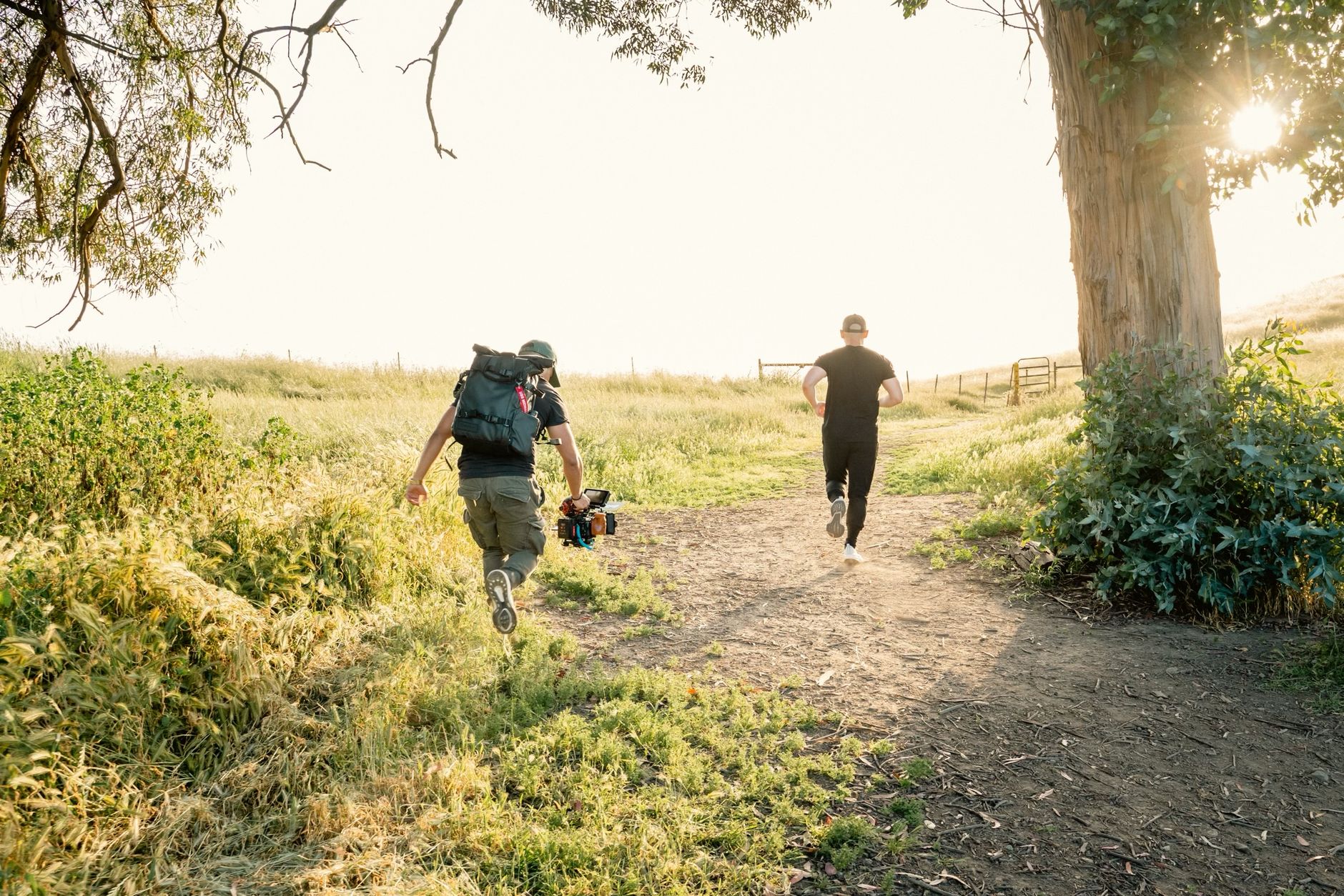
Photo by Kraken Media
This feature relies on multi-axis gyroscopic sensors to override erratic body movements. Your viewers see a stable, professional perspective that mimics a professional tracking shot rather than a frantic headcam.
- Enable full 360-degree leveling when bombing down technical singletracks with sharp switchbacks.
- Keep standard stabilization active on straightaways to preserve a natural sense of running speed.
- Test your mounts before race day to ensure the sensor package reads your true center of gravity.
Balancing these settings takes experimentation during shorter training blocks before you trust them on a marathon course. Your footage remains steady, your audience stays comfortable, and your running performance takes center stage.
Audio Clarity in the Wind and Traffic of Everyday Training
Recording clean sound while running introduces unique acoustic obstacles that indoor creators never face. Wind whips past your ears at high speeds, and passing vehicles create sudden spikes in decibels that distort standard microphones. When you rely on the Insta360 GO Ultra for vlogging, you get built-in tools to combat these acoustic hazards, but you still need a smart setup to capture every word of your voice.
Wind Reduction Settings for Open Road Mileage
Open roads expose your camera to relentless crosswinds that turn your voice recordings into an unusable roar. The internal microphones on small action cameras pick up air turbulence immediately unless you activate the onboard filtering tools. Modern firmware includes smart algorithms designed to isolate voice frequencies while stripping away low-frequency buffeting sounds. You can enable these filters directly in the mobile app before stepping out the door.
Physical positioning matters just as much as digital processing when you fight against headwinds.
- Mount the camera close to your chest using a magnetic pendant so your body acts as a natural windbreak.
- Tilt the microphone grille slightly downward away from the direct path of oncoming air currents.
- Attach a tiny foam windscreen or deadcat accessory if you frequently train in coastal or high-wind environments.
Testing these settings on a short jog helps you find the sweet spot for your local climate. Your audio remains clean, and your audience hears your voice instead of a rushing gale.
Pairing Wireless Microphones for Coaching and Commentary
Built-in microphone arrays work well for ambient training sounds, but fast paces and heavy breathing drown out spoken commentary. Connecting an external wireless microphone system transforms your vlogging setup into a professional broadcast tool. Tiny clip-on transmitters sync directly to your recording device, placing a dedicated mic capsule right near your collarbone. This proximity ensures your voice cuts right through the background noise of traffic and wind.
Running with a lavalier or specialized athletic transmitter requires careful cable management and secure clipping so the unit doesn’t bounce around.
- Tuck the microphone wire underneath your running shirt to prevent friction noise against your skin or fabric.
- Pair a wind muff with your external transmitter if you tackle long stretches of open highway.
- Check audio levels on your phone screen before your run starts to avoid digital clipping when you raise your voice.
Clear commentary turns a simple training montage into an engaging coaching session for your viewers. You deliver actionable training tips and share your real-time thoughts without shouting over the roar of the asphalt.
Battery Life, Storage, and Managing Footage on the Go
Endurance training pushes both your body and your gear to their absolute limits. When you log high mileage every single week, your electronic accessories require as much logistical planning as your nutrition and hydration strategy. A dead battery or a full memory card in the middle of a twenty-miler ruins your capture plans. Managing power output and file transfers requires a repeatable system so you never miss a moment of your training block.
Maximizing Charge During Marathon Training Blocks
Small recording devices trade massive internal batteries for featherlight comfort, meaning you must manage power output proactively. Charging cases serve as portable power stations, but you need a strict routine to keep them topped off between back-to-back training days. Plug your case into a wall outlet immediately after returning from a morning run so it reaches full capacity before the next session.
Power conservation starts with adjusting your recording habits out on the pavement.
- Record short clips of key training moments rather than letting the camera roll continuously for hours.
- Power down the unit completely during warm-ups and cooldown walks to preserve reserve charge.
- Carry a small pocket power bank in your hydration vest if you run ultra-long distances and need mid-run recharges.
These small habits prevent unexpected shutdowns when you hit the most scenic miles of your route. Your hardware survives the weekly mileage increase without forcing you to cut runs short.
Quick Editing Workflows for Busy Athletes
Accumulating hours of high-definition video creates a massive storage backlog that eats up valuable time after you finish running. Staring at a computer screen for hours sorting through raw files steals precious time that should go toward physical recovery and nutrition. Mobile applications solve this bottleneck by letting you edit clips directly on your smartphone while you stretch or refuel.
Smart software features automatically detect your best running strides and cluster them together into a rough draft. You can trim dead air, adjust color profiles, and export a clean video file in minutes rather than hours.
- Sync your camera files over Wi-Fi during your post-run stretch routine to save time.
- Use auto-editing templates to instantly splice your interval splits into a vertical reel for social sharing.
- Delete blurry or unusable clips immediately so your mobile storage stays clear for the next training cycle.
Saving hours in the editing room lets you prioritize sleep, meal prep, and muscle recovery. You share your training journey with the world while still giving your body the rest it needs to hit your goal race pace.
Creative Storytelling Ideas for Your Running Channel
Running vlogs often fall into predictable patterns because creators point their lenses at the road and press record without a clear plan. However, viewers stay engaged when you turn routine miles into a compelling narrative arc with distinct emotional stakes.
Using the Insta360 GO Ultra for vlogging gives you the freedom to experiment with unique camera placements because the tiny hardware stays completely out of your way. You can capture raw training realities and high-pressure race scenarios without letting the equipment dictate your athletic performance.
Capturing the Reality of Hard Track Intervals
Speed work tests your physical limits, and your camera should reflect that intensity rather than sanitizing the experience. Instead of mounting the unit on a static tripod in the infield, attach the tiny camera to your singlet using the magnetic pendant for a visceral, first-person view of heavy breathing and rapidly moving legs.
- Start the video in the parking lot before your warm-up, speaking directly to the lens about your target splits for the session.
- Cut to low-angle shots by placing the camera on the rubber track surface while you fly past during your final repeat.
- Finish the sequence with a close-up right after you cross the finish line, showing sweat and fatigue instead of hiding the exhaustion.
Viewers connect with authentic suffering because it mirrors their own hard training days. When you show the actual struggle of hitting your paces on tired legs, your channel builds genuine trust with fellow runners.
Documenting Race Day Without Breaking Your Focus
Marathons and goal races demand total concentration, so your content strategy must adapt to the pressure of the starting line. You cannot afford to fiddle with settings or hold a traditional rig when you chase a personal record. Clip the camera securely to your race singlet or cap during the expo pickup day so the setup feels completely natural by Sunday morning.
Begin your race day story hours before the gun fires by recording quiet moments in the hotel room or during the pre-race meal. Capture the nervous energy in the starting corals without blocking your fellow competitors or drawing awkward stares.
- Record a quick thirty-second clip at each major milestone marker to track your mental state over the distance.
- Turn the camera inward during the painful late miles of the race to explain how you push through self-doubt.
- Keep the recording rolling as you cross the finish line to catch your raw emotional reaction and your final chip time.
Balancing media creation with competitive drive means prioritizing your race execution above all else. Your camera simply records the journey while your mind stays locked on the pacing strategy.
Conclusion
Recording your training blocks transforms how you understand your athletic progress and connect with other runners. When you use the Insta360 GO Ultra for vlogging, heavy equipment stops holding back your natural stride and breathing cadence. You can rely on steady stabilization, clear audio, and simple editing workflows to share your miles honestly.