

Honolulu Marathon Tracking: Track Runners Live & View Results
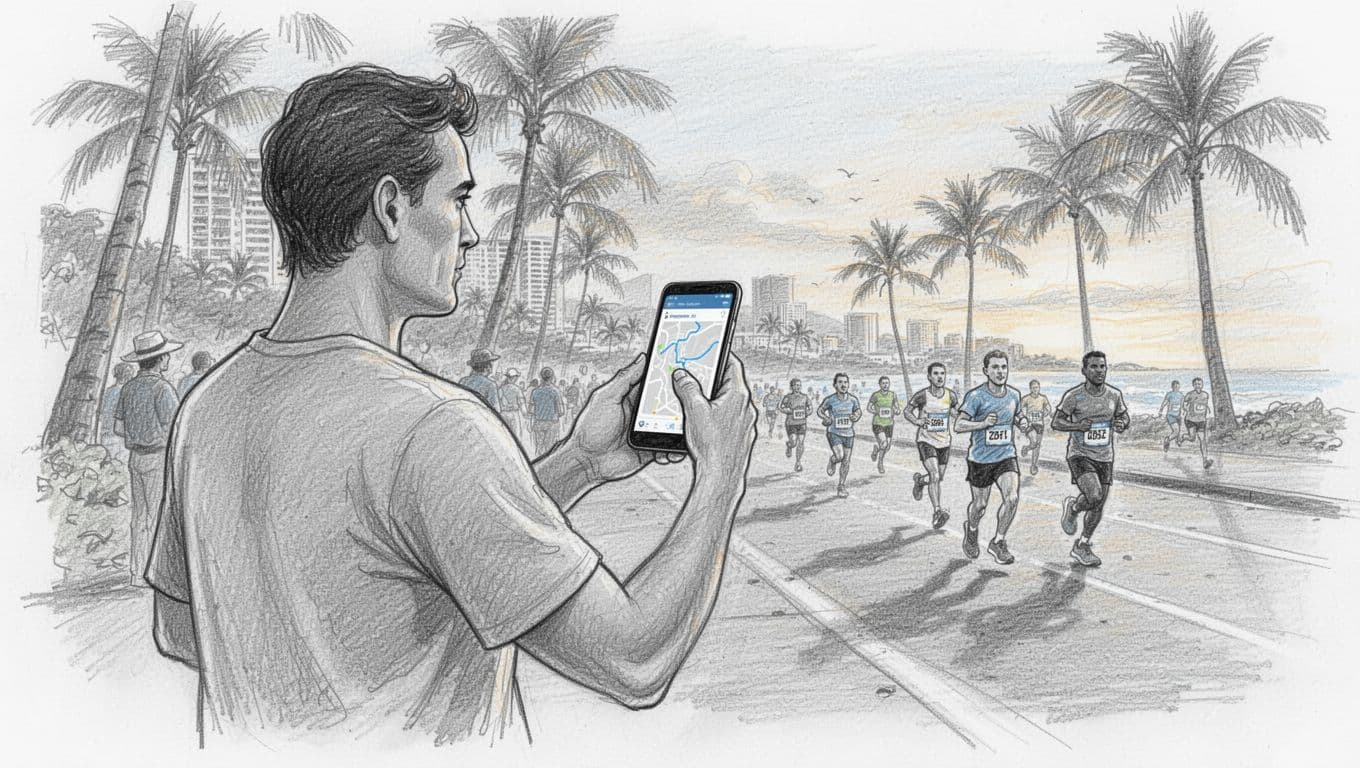
Before sunrise, Honolulu’s streets fill with headlamps, cheering spectators, and runners moving toward the marathon start. If you’re waiting for someone on the course, Honolulu Marathon tracking can turn that long morning into a clear race-day plan.
Live tracking helps runners’ families and friends check progress without guessing where someone is. Split updates can show whether a runner is near Waikiki, Diamond Head, or another course landmark, while course information helps you choose a practical viewing spot and estimate when to expect them. Tracking can also help runners monitor their own pace and share updates when they reach key points.
The official tracker may appear on the Honolulu Marathon website, inside the race app, or through instructions sent to registered participants, but those details can change each year. Confirm the current website, app, race instructions, tracking activation steps, and course information before race morning. Next, I will cover where to find the official tracker and how to read its updates without missing your runner. Be sure to reserve your Honolulu Marathon hotels well in advance to save money.
Key Takeaways
- Use the official Honolulu Marathon tracking page to follow registered runners and view live course updates.
- Confirm your runner’s race number before race morning, then check that tracking details load correctly.
- Use split updates with the course map to estimate arrival times near Waikiki, Diamond Head, and other viewing areas.
- Plan transportation, meeting points, and phone charging before roads close or crowds grow.
- Tracking helps you adjust your viewing plan, but it shouldn’t replace clear backup arrangements if updates are delayed.
How Honolulu Marathon Tracking Works on Race Day
Honolulu Marathon tracking connects your runner’s race entry to updates recorded along the course. The system typically combines a bib number, timing mats, an official tracking platform, and your phone or computer.
It does not usually show an exact, second-by-second location. Instead, updates may appear when a runner crosses selected timing points. That distinction matters when you’re waiting near Waikiki or Diamond Head and the screen seems unchanged for several minutes.
Where to Find the Official Honolulu Marathon Live Tracker
Start with the official Honolulu Marathon tracking page, then check the current event website and race-day announcements for changes. The organizer may provide tracking through a web page, race app, registration portal, or instructions released during race week. The current Honolulu Marathon FAQ says the live tracking and results page is updated with race numbers during race week, so don’t rely on an old bookmark alone.
Use this quick check before race morning:
- Confirm that the page shows the current event year and race name.
- Look for a runner search tool that accepts a bib number, name, or another approved entry detail.
- Confirm where the live tracking page and final results page appear.
- Check whether the official app has a current download link for your phone.
- Save the event support contact or help instructions in case a search fails.
- Review the current course map, road closures, and timing-point information.
- Read the privacy or tracking settings so you know whether the runner opted in.
A trustworthy page should use the official Honolulu Marathon domain, match the event’s current branding and dates, and link to the organizer’s own race information. Be cautious with third-party pages that show an old year, ask for unnecessary personal details, or promise features the race hasn’t announced.
Test the search tool several days before the race. If the runner’s entry isn’t active yet, check again during race week rather than assuming something is wrong. You can also save the official page to your phone’s home screen, which is faster than searching through browser results while standing beside a crowded course.
What a Bib Number, Split Time, and Finish Update Tell You
A bib number identifies the correct runner in the tracking system. Ask your runner for the number before race morning, then double-check the name shown in the search result. Depending on the year’s platform, you may also search by name or use a tracking opt-in connected to the registration record.
A split time is the time recorded when the runner reaches a timing mat or checkpoint. Comparing two splits can show whether the runner is progressing toward your viewing location, but it won’t pinpoint their exact position between mats. Signal strength, crowded networks, a missed checkpoint, or data processing can delay an update.
The finish update confirms that the system recorded the runner crossing the finish line. It may provide a finish time, pace, or results detail once processing is complete. If a split disappears or stays unchanged, wait before calling the runner. The next mat, a stronger signal, or completed data processing may restore the update.
Use Honolulu Marathon Tracking to Follow a Runner’s Progress
Honolulu Marathon tracking becomes more useful when you connect each update to the course, the runner’s planned pace, and the time between checkpoints. A split is a reference point, not a live GPS pin. Use several updates to understand the race, then adjust your viewing plan as the runner moves from the start near Ala Moana Boulevard through downtown Honolulu, Waikiki, Diamond Head, and toward Kapiolani Park.
How to Read Split Times Without Overreacting
One slow split rarely tells the whole story. A runner may lose time in a crowded opening section, pause at an aid station, stop briefly for a bathroom break, or work through an incline. A delayed upload can also make one update look unusually fast or slow because the timing system did not post it immediately.
Look for a pattern across several checkpoints instead. If three consecutive splits show a similar slowdown, the runner may be adjusting effort, facing heat, or falling behind the original pacing plan. If the next update returns to normal, the earlier change probably reflected congestion, a short stop, or delayed data.
Runners should use tracking data to compare execution with the plan, not chase every number on the screen. A marathon rewards controlled effort, especially when Honolulu’s warmth and humidity begin to build. One fast split can tempt a runner to push harder, but that decision may create a larger slowdown later.
A single split is a clue. Several consistent splits provide a much clearer picture.
For spectators, avoid calling or texting after every unexpected update. Give the system time to refresh, then check the runner’s progress against the next checkpoint and your planned viewing location. The official Honolulu Marathon course description can help you match timing points with the route.
Estimate the Next Update With Pace and Course Details
You can make a simple estimate by using the runner’s recent pace and the distance between timing mats:
- Note the runner’s latest split time and the distance it represents.
- Estimate the runner’s current pace over the most recent segment.
- Multiply that pace by the distance to the next checkpoint.
- Add the result to the latest posted time, then allow extra time for normal race-day variation.
For example, a runner targeting a four-hour marathon has a goal pace of about 9:09 per mile. If the runner reaches a five-mile checkpoint near 45:45 and the next mat sits five miles farther along the course, a first estimate would place the next update near 1:31:30. That estimate is a guide, not a promise.
The course can change the calculation. Heat, humidity, wind, aid stations, crowds, and the Diamond Head area may slow the runner even when their effort remains appropriate. The official Honolulu Marathon event information describes the route through downtown, Waikiki, Diamond Head, and Kapiolani Park, so spectators can pair checkpoint data with real landmarks.
If the latest split suggests your runner should reach Waikiki soon, allow extra time for walking, road closures, and crowded sidewalks. Families can choose a broad arrival window rather than waiting for one exact minute. After the finish update appears, meet at a prearranged location near Kapiolani Park instead of relying on a phone call in a busy crowd.
Plan the Best Places to Watch With Live Marathon Tracking
Live Honolulu Marathon tracking helps you choose when and where to wait, but the tracker works best as part of a larger race-day plan. Use split updates to avoid arriving hours too early, decide whether your group can reach another viewing point, and leave enough time for Honolulu’s road closures, heat, crowds, and limited parking.
A runner’s posted time is only one part of the schedule. Walking between viewing areas can take longer than expected, and a short drive may become impossible when streets close. Check the organizer’s current access information before race morning, including official start-area directions, then build your plan around walking routes and fixed landmarks.
Coordinate Meetups After the Finish at Kapiolani Park
Meeting a runner immediately at the finish can be difficult. Kapiolani Park may be crowded with finishers, family members, volunteers, medical staff, and people collecting gear. A runner may also need medical attention, recovery time, a medal photo, or help finding family before they can answer a call.
Agree on one meeting point before the race begins. Choose a clear landmark, park entrance, hotel lobby, or nearby public location away from the busiest finish area. A broad entrance is easier to find than a small tree, temporary tent, or spot beside the finish chute.
Write down the plan in every family member’s phone, including:
- The exact landmark and street or park entrance.
- A backup location if the first area becomes too crowded.
- The person responsible for contacting the runner.
- A time window for waiting before moving to the backup point.
Don’t depend on a tracking notification alone. A finish update can confirm that the runner crossed the line, but it can’t tell you whether they are receiving care, picking up belongings, taking a recovery break, or walking through a congested exit.
Follow Multiple Runners Without Losing Track
Several runners can turn race-day tracking into a wall of notifications. Create one simple record before the start with each runner’s bib number, goal finish time, expected checkpoint times, and phone number. Add a short label such as “Maya, 4:15 goal” so you don’t confuse similar names or updates.
Check progress at planned intervals instead of refreshing one screen all morning. For example, one person can watch early splits, another can monitor a slower runner, and a third can manage messages and transportation. Share the task among family members, then compare updates at agreed times.
This system also helps you decide whether a second viewing point is realistic. If a runner is near one checkpoint but traffic restrictions block the next area, stay put and follow the race remotely. Heat, crowded sidewalks, parking shortages, and a fading phone battery can make unnecessary movement stressful.
Carry water, sun protection, and a portable charger. Keep a backup meeting location and a communication plan in case the tracker is delayed. A short text such as “Meet at the hotel entrance after you recover” gives everyone a clear next step without requiring an immediate phone call.
What to Do When the Honolulu Marathon Tracker Is Delayed or Wrong
A delayed update can make race morning feel longer than the marathon itself. Stay calm, check the likely causes first, and use a clear backup plan instead of refreshing the same page repeatedly.
Check the Runner Safely When Updates Stop
Start by waiting through the normal update window. Timing mats record runners at specific checkpoints, so the tracker may remain unchanged while someone is between mats. Notifications can also arrive late because of data processing, weak cellular service, or heavy race-day traffic.
Before assuming the tracker is wrong, check the official Honolulu Marathon tracking page and the organizer’s current race announcements. An old race page or saved app may show outdated information, especially because the event updates race numbers and tracking details during race week. If the app crashes, close and reopen it, switch to the browser version, check your connection, and conserve battery by lowering screen brightness.
Confirm that you searched the correct bib number and full name. Duplicate names can produce the wrong result, while a typo can make a runner appear missing. Compare the displayed race details with the information your runner shared before the race.
If the runner’s last checkpoint and expected time have passed, send a text or make one call when possible. Keep the message simple, such as, “We saw your last update. Please reply when you can.” If there’s no response, contact the runner’s support person, training partner, or designated family contact. Avoid repeated calls that could drain the runner’s phone battery or interrupt their race plan.
Gather these details before contacting race support:
- The runner’s full name and bib number.
- Registration details or race category.
- The last confirmed checkpoint and posted split.
- The approximate time of that update.
- The phone number for the runner and their support contact.
- Any relevant medical concern you already know about.
The tracker is not an emergency service. If you have an urgent safety concern, contact official race medical staff or local emergency services. Don’t enter restricted areas, cross barriers, chase a runner by car, or obstruct the course while trying to locate someone. Follow directions from race officials, volunteers, police, and medical personnel. The event’s official FAQs also provide race information, including access to professional medical assistance.
Choose Your Distance, Duration and Goal Time
Make three quick selections and open the exact plan built for your race target.
Looking for a Fully Personalized Training Plan?
The training plans above are an excellent choice if they match your goal. However, if you’d rather train with a plan built specifically around your current fitness, goal race, preferred training days, weekly mileage, and target finish time, our RDA Custom Training Plans provide a personalized solution. We also have running courses available for runners seeking to run faster from the mile to the marathon.
Why Choose a Custom Training Plan?
| Standard Training Plan | RDA Custom Training Plan |
|---|---|
| Follows a fixed schedule | Built around your schedule |
| Standard weekly mileage | Peak mileage customized for you |
| Fixed workout days | Train on the days you choose |
| Same structure for everyone | Designed around your current fitness |
| Static plan | Updated as your fitness improves |
| One-time purchase | Ongoing personalized coaching and support |
What You’ll Receive
- A training plan built specifically for your goal
- Personalized training paces
- Long runs, tempo runs, threshold workouts, interval sessions, recovery runs, and easy runs
- Peak weekly mileage matched to your experience level
- Flexible training schedule that fits your life
- Ongoing plan adjustments as your fitness improves
Ready to Train Smarter?
Stop guessing and start following a plan built specifically for you, your schedule, and your racing goals.
Protect Privacy When Sharing Tracking Links
Tracking information can reveal more than a finish estimate. A runner’s name, bib number, pace, and checkpoint location may expose personal information to anyone who receives the link or sees a public post.
Share updates only with trusted family members, friends, or the runner’s support team. Use the official race link, and avoid posting a screenshot that includes unnecessary registration details, phone numbers, or a precise location. If you already shared too much, delete the post and remove the image from public messages.
Before race day, runners should review the event’s tracking and privacy choices. Confirm whether tracking is enabled, what information appears publicly, and which contacts receive notifications. A private family message with a general checkpoint update is usually safer than broadcasting a runner’s bib number and live progress to a public audience.
Prepare Your Tracking Plan Before Honolulu Marathon Race Morning
Honolulu Marathon tracking works best when you prepare before the streets fill with runners and spectators. Confirm the event date, official tracking method, course access, and your meeting plan while you still have time to fix problems.
A Simple Race-Day Tracking Checklist for Spectators
Use this chronological checklist to keep the morning organized:
- The night before: Confirm the event date and save the official Honolulu Marathon tracking page. Save the runner’s bib number, full name, expected finish time, and phone number. Check the current race FAQs and tracking details, since the app or live results page can change by year.
- Before the start: Download or open the current race app, then test the runner search before leaving home. Charge every phone and pack a backup battery. Set tracking notifications so you receive useful split or finish updates without draining your battery through constant screen checks.
- Before choosing a viewing spot: Review the official course map, road closures, parking limits, and walking routes. The official Honolulu Marathon event information includes course details, but check race-week announcements for current access instructions. Carry water, sunscreen, comfortable shoes, and a small amount of cash or identification.
- During the race: Record each posted split and compare it with the runner’s expected pace. Allow time for delayed updates, crowded sidewalks, and detours. Don’t chase a runner between viewing points if road closures make the trip unsafe or unrealistic.
- After the finish: Meet at a fixed location away from the finish chute, such as a hotel entrance, park entrance, or agreed street corner. Choose a backup location and waiting time in case the runner needs medical care, gear, food, or recovery time before answering.
Write down emergency contacts before race morning. Include the runner’s support person, another family member, your hotel, and local emergency services. If cellular service fails, use a backup method such as a prearranged text from another phone, a hotel message, or an agreed time-based meetup.
Runners should tell family members what updates to expect. Explain whether you plan to share only major checkpoints, your finish, or a short message after recovery. Also state where you plan to reconnect, because official timing can confirm a finish but cannot show when you’ll leave the recovery area.
A watch, GPS device, or training app can record distance, pace, heart rate, and personal effort. Those tools help the runner review the race, but they are separate from official race timing. GPS may drift near buildings or dense crowds, while official splits come from race timing points.
Help Runners Get Better Results From Their Tracking Data
After the event, review the official splits alongside watch data and the original training plan. Compare pacing across the opening miles, middle course, and final section. Look for sustained changes rather than blaming one slow split.
Then ask practical questions: Did the runner start faster than planned? Did heat or hills change effort? Were fueling and hydration timed as practiced? Did aid-station stops, cramping, or missed fluids affect the later miles?
This review should produce a useful adjustment, not an excuse. A runner may need a slower opening pace, earlier carbohydrate intake, more consistent fluids, or a recovery period before hard training resumes.
Save the findings with the training log. The next marathon plan can use those patterns to set realistic splits, rehearse fueling, and protect recovery after a demanding race.
Frequently Asked Questions
Honolulu Marathon tracking is helpful, but it works best when you understand what the updates can and cannot show. These answers cover common questions about access, runner searches, delayed splits, multiple runners, and post-race meetups.
Is Honolulu Marathon tracking free?
Official tracking is often available at no extra cost through the Honolulu Marathon website or race-day app. However, the organizer can change the platform, features, or access rules each year.
Check the official Honolulu Marathon tracking page and current race instructions before paying for an unofficial tracking service. The race’s official FAQ is also a useful place to confirm the current tracking and results process.
Can I track a Honolulu Marathon runner by name?
Many race tracking systems let you search by a runner’s name, bib number, or registration details. Search options can vary by race year, so follow the instructions shown on the current tracking page.
Use the bib number whenever possible. Common names can return multiple entries or make it difficult to confirm that you’ve selected the right runner. Compare the displayed name, race category, and other details before saving the result.
Does the tracker show a runner’s exact location?
Most official systems show progress when a runner crosses timing checkpoints. They usually don’t provide a continuous GPS dot that follows the runner every second.
The displayed position may lag because the runner is between timing mats, the data is still processing, or cellular service is weak. Treat each split as a confirmed checkpoint, then estimate the runner’s position using their recent pace and the course map.
Why has a runner’s split time not updated?
A missing split doesn’t automatically mean the runner is in trouble. Timing-mat delays, weak network service, processing problems, or a missed mat can all interrupt the normal update pattern. Incorrect search details may also show the wrong runner or no result at all.
Check the information in this order:
- Confirm the bib number and runner name.
- Refresh the official tracker or reopen the race app.
- Allow extra time for the next checkpoint to post.
- Contact the runner once, if the expected window has passed.
- Use race support or medical staff if you have a genuine safety concern.
A runner may also have stopped, changed pace, or left the course. Avoid repeated calls while the person may be running, receiving care, or conserving phone battery.
Can family members track more than one runner?
That depends on the current tracking platform, but many systems allow spectators to save or follow multiple bib numbers. Test the feature before race morning, since some apps limit notifications or require each runner to be added separately.
Keep a written backup list with every runner’s name, bib number, goal time, and phone number. If several people are watching, assign one person to monitor each runner so important updates don’t disappear in a crowded notification feed.
Where should runners meet family after the Honolulu Marathon?
Choose a specific meeting point before race day. The finish area near Kapiolani Park can be crowded, and runners may need time for medical checks, recovery, gear collection, photos, food, or a slower walk away from the finish chute.
Pick a clear landmark, such as a hotel entrance or park entrance, and agree on a backup location. Account for road closures, crowded sidewalks, delayed phone service, and a runner’s limited energy after the race. A written plan is more dependable than trying to find one another beside the finish line.
Conclusion
Before sunrise, Honolulu’s marathon course can feel difficult to follow, especially when roads close and crowds gather near Waikiki and Diamond Head. The official Honolulu Marathon tracking page gives spectators a reliable way to check bib numbers, review split updates, and adjust viewing plans without chasing runners between checkpoints.
Still, tracking is a planning and communication tool, not a perfect live view of every step. Timing mats only record selected points, and updates can arrive late because of network issues, data processing, or a runner’s time between checkpoints. Use official race information, allow reasonable time for delays, and keep a clear meeting plan that does not depend on one notification.
Most importantly, safety comes first. Don’t cross barriers, enter restricted areas, or pressure a runner to answer while racing or recovering. After the finish, runners can compare official splits with watch data and their training plan. That review can reveal pacing, fueling, and recovery lessons for the next goal, while the race itself deserves time to settle before hard training begins.


