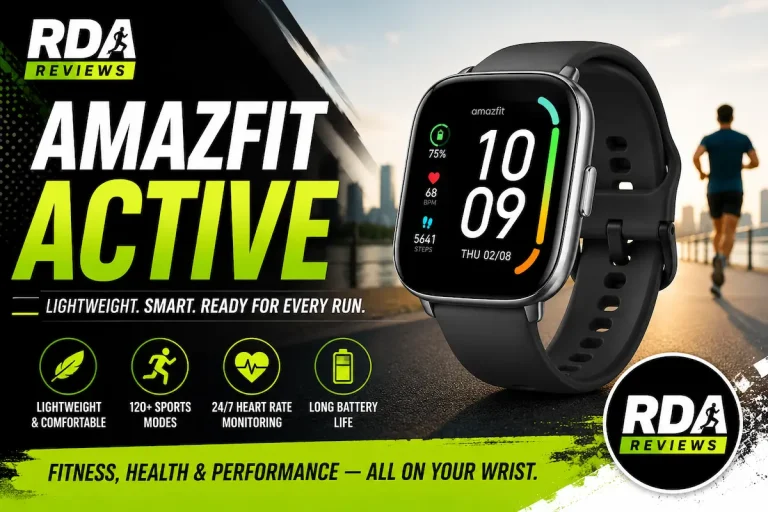
Amazfit Bip Max GPS Accuracy: How Reliable Is It for Running?
You step out the front door, start your watch, and settle into the rhythm of a long Sunday run. Every stride relies on that tiny chip inside the housing to measure distance, track your current pace, log split times, and map the exact route home. Because your training data drives your next breakthrough, Amazfit Bip Max GPS accuracy matters more than a casual gadget review suggests.
Buyers often search using this name when they spot a retailer listing, evaluate a regional model, or mix up various iterations in the budget fitness tracker market. Therefore, this guide clarifies the exact hardware you own before testing its real world performance.
You will soon see how satellite connections, phone pairing methods, software settings, local terrain, and wrist placement combine to shape your final tracking data.
What Does Amazfit Bip Max GPS Accuracy Actually Mean?
GPS accuracy for runners is not a single magic number. It combines several distinct data points that describe how well your device maps the physical world. Distance tracking, live pace, recorded route shape, elevation gain, and the time it takes to lock onto satellites all factor into your final post-run summary.
A watch can easily record a correct total distance while showing a jumpy instant pace on your wrist, or it can draw a clean route on a map while missing a short section under heavy tree cover. Therefore, you must judge tracking performance against a known route and your specific training purpose.
Easy recovery mileage, fast interval sessions, winding trail runs, and strict race pacing all demand different things from your hardware. Before you can evaluate how well your device performs, you need to confirm the exact model sitting on your wrist.
First, Confirm Which Amazfit Bip Model You Have
Retailers often group multiple budget fitness trackers under generalized titles, so you must verify your exact device before testing its tracking data. Do not rely entirely on the product listing page or a generic box title because terms like Bip Max can mask older hardware or regional variants. Open the settings menu on your watch and look for the specific model number or system info. You can also check the device profile inside the Zepp app on your smartphone to confirm the exact name.
Once you identify your watch, determine whether it features built-in satellite hardware or relies on connected phone positioning. Some iterations include independent GPS chips, while others lean on your smartphone location services to map a run. Checking this detail changes your entire testing baseline. Furthermore, before you run any tests, record your current firmware version and Zepp app version. Updates frequently alter satellite connection speeds and smoothing algorithms, which directly impact your performance metrics.
Accuracy Is More Than the Distance on the Final Summary
Runners often judge a watch solely by the final mileage on the screen, but that single number hides plenty of operational details.
You should inspect your post-run data across several categories to understand how the chip performs. Look at your kilometer or mile splits, current pace stability, route shape, elevation profile, and initial satellite lock time. Average pace can easily hide errors if short speed spikes cancel out sudden drops. One strange corner where the track cuts across a building does not ruin an entire device, but persistent tracking failures demand attention.
For example, a five-mile training loop that logs as 5.08 miles is usually acceptable for standard base training. On the other hand, a watch that repeatedly adds wide detours or cuts straight through residential blocks requires a closer look at your settings and satellite environment. Examine your split consistency alongside the visual map to see where the signal wavers. If the recorded path stays true to the asphalt even when pace fluctuates under tree cover, the device is doing its job well enough for daily mileage.
How the Amazfit Bip GPS System Tracks Your Run
Built-In GPS Versus Connected Phone Location
When you head out the door for a training run, understanding how your device captures location data changes how you interpret your post-run map. Some versions of this wearable include an independent satellite chip, while others rely entirely on your smartphone to map your route. Therefore, your tracking reliability depends heavily on whether your hardware is talking directly to the sky or borrowing a signal from your pocket.
If your device features built-in satellite hardware, you can leave your phone at home and still record accurate distance, pace, and route geometry. On the other hand, phone-assisted tracking means your watch acts merely as a display screen while your phone handles the heavy lifting. This setup introduces several variables. If your phone sits deep inside a dark backpack, loses battery mid-run, or drops location permissions in the background, your watch data will suffer or stop entirely.
To check your specific hardware settings, open the Zepp app on your smartphone and navigate to your device profile. Look under the workout or location settings to see if assisted location services are toggled on. Furthermore, never compare a watch recording against a phone running app unless both devices used independent location data during the exact same outing. Mixed data sources create confusing discrepancies that do not reflect the true quality of your watch.
Why Dual-Band GPS May Matter for Serious Runners
GPS tracking relies on radio signals traveling from satellites high above the earth down to a tiny antenna inside your wristwear. Single-band chips receive these signals on one frequency, which works wonderfully on open country roads and clear coastal paths.
However, tall urban skyscrapers, dense tree canopies, narrow streets, and sharp turns bounce these signals around like pinballs. This phenomenon, known as multipath interference, causes your recorded track to zigzag across the street or cut through buildings even when you stayed strictly on the sidewalk.
A dual-band setup receives signals on two distinct frequencies simultaneously, cutting through environmental interference with superior precision. While advanced dual-band tech sounds exciting, remember that a standard single-band watch is not automatically inaccurate. Open roads and clear skies produce remarkably strong and reliable tracking results without extra hardware complexity.
Runners chasing strict race pacing and precise split times in concrete jungles benefit immensely from advanced multi-frequency positioning. Yet, if your daily training loop consists of open suburban paths or local parks, a traditional single-band receiver delivers all the reliability you need. Match your hardware expectations to your actual running environment so you can trust every mile split that pops up on your wrist.
What Affects Amazfit Bip Max GPS Accuracy on Real Runs?
Tracking your mileage accurately requires understanding how environmental factors and personal habits interact with your device. Because satellites rely on clear lines of sight, everything from your running route to your arm swing influences the final data.
The Best Way to Wear the Watch for a Clean Signal
Getting reliable data starts with how you secure the device on your arm. Wear the watch snugly about one finger width above your wrist bone to prevent excessive bouncing while you stride. Keep the watch face fully exposed to the sky, and avoid sliding it too close to your hand where wrist bending blocks the internal antenna.
Runners should always use the same wrist and similar clothing setups when comparing workouts. Natural arm swing, heavy winter sleeves, sweat accumulation, and a loose strap can disrupt the satellite connection. Furthermore, wait until the satellite lock indicator turns solid green before you press start on your activity. Jumping into a run before the hardware establishes a firm fix guarantees early route distortion.
Why Tall Buildings, Trees, and Tight Turns Create Errors
Satellite signals travel thousands of miles before reaching your wrist, and they struggle when obstacles get in the way. Urban canyons lined with tall skyscrapers force signals to bounce off glass and concrete before hitting your receiver. This phenomenon, known as multipath interference, creates a zigzag pattern on your post run map even when you ran in a straight line. Dense tree canopies create similar tracking headaches by absorbing or scattering radio frequencies.
Sharp corners in city centers often appear rounded or cut off because the device calculates your position using delayed data points. Therefore, ignore sudden spikes in your live pace when running through dense environments.
- Use lap pace or average pace for workouts in difficult locations instead of reacting to live speed fluctuations.
- Expect distance inflation when running routes flanked by high-rise buildings.
- Plan open routes for speed workouts and save technical urban loops for easy base mileage.
Battery, Firmware, and App Settings Can Change Results
Hardware performance relies heavily on software health and correct device configuration. Keep your watch and the Zepp app updated to the latest versions because developers frequently release patches that improve satellite acquisition speeds. Charge your battery fully before heading out for long efforts, since low power modes can throttle processor performance and slow down location polling.
Grant your running app full location permissions in your smartphone settings so background restrictions do not interfere with tracking. Select the exact activity mode for your workout rather than using a generic indoor setting. Power saving settings, paused activities, and delayed satellite locks make tracking hardware appear faulty when the root cause is simply a configuration oversight.
How to Test Amazfit Bip Max GPS Accuracy Fairly
Testing location hardware requires a disciplined approach so you don’t blame a device for poor satellite geometry or environmental interference.
A single random jog around the neighborhood offers little value because variable conditions skew the results. Instead, you need a repeatable test plan that produces genuine evidence. By controlling your variables and comparing your wearable against trusted benchmarks, you will quickly discover how well your device handles distance and pace tracking.
Use a Measured Route Instead of a Second Watch as the Only Reference
Comparing two consumer watches side by side often leads to confusion because both devices can disagree while remaining reasonable. They might use different satellite systems, smoothing algorithms, or auto-pause rules, which creates frustrating discrepancies. Therefore, you should rely on a fixed physical standard for your baseline.
A 400-meter running track, a certified race course, or a carefully measured straight asphalt route serves as the strongest reference. If you test on a standard track, stay in the same lane for several complete laps and compare the recorded distance with the known track perimeter. This method removes algorithmic guessing and gives you a concrete number to evaluate.
Record Results in a Simple GPS Accuracy Log
Gathering data over multiple sessions turns random impressions into actionable insights. You should set up a tracking log to record the variables that influence satellite performance.
| Date | Route Type | Weather | Firmware | Lock Time | Ref. Distance | Watch Distance | Error (%) |
|---|---|---|---|---|---|---|---|
| Oct 12 | Track (Open) | Clear | v2.1.4 | 15s | 5.00 km | 5.02 km | 0.4% |
| Oct 14 | Urban (Tall Bldgs) | Overcast | v2.1.4 | 45s | 8.00 km | 8.35 km | 4.3% |
Test easy runs and structured workouts separately because frequent pace changes can make live pace look less stable on your screen. This log helps identify specific patterns, such as accurate open-road distance paired with poor city-corner tracking.
How Much Error Is Acceptable for Training and Racing?
There is no single pass or fail number for location tracking because GPS measures a path made of sampled points rather than every physical footstep. Small differences are completely normal during a typical outdoor run. You should connect acceptable performance directly to your specific training goals.
General base mileage and easy recovery runs only need dependable distance tracking over the course of the session. Interval workouts demand reliable lap splits, which makes a measured track or manual lap button clicks much more reliable than instant pace readouts.
Racing requires a sensible buffer because course markers and wrist measurements rarely match down to the exact meter. When precision matters most during hard sessions, rely on manual lap triggers, known physical landmarks, and your average split pace to guide your effort.
Is Amazfit Bip Max GPS Accurate Enough for Runners?
Choosing a running watch often feels like navigating a maze of conflicting specifications. Budget wearables promise advanced satellite tracking, yet runners frequently wonder if the hardware can survive a rigorous training block. Evaluating Amazfit Bip Max GPS accuracy requires looking past marketing claims and matching real performance to specific runner profiles.
Where a Bip Watch Can Be a Strong Training Tool
For runners who focus on logging consistent weekly miles without breaking the bank, budget-friendly satellite watches offer incredible everyday value. A Bip watch tracks outdoor distance, logs basic pace data, and saves route history directly to your smartphone app without demanding extra equipment. If you want a lightweight device that records your daily jogs and syncs cleanly to your training log, this hardware gets the job done.
Dependable trends across weeks matter far more than absolute precision on every single stride. For instance, if your watch logs a five-mile loop consistently at 4.95 or 5.05 miles, you have reliable data to track your fitness gains over a training cycle. This predictable consistency helps you measure base building, long Sunday efforts, and recovery runs effectively. You don’t need elite race-day measurement tools for standard training runs because general distance trends provide all the guidance required to improve your endurance.
When GPS Limits Become a Problem
Specific warning signs indicate when a budget device falls short of your training demands. Repeated large distance errors on open routes, unstable live pace during clear-sky runs, missing map sections, and slow satellite locks signal that your hardware is struggling. Runners who rely on instant pace for track intervals or steep mountain climbs will find that noisy real-time data disrupts their workout structure.
Runners fall into distinct categories when evaluating whether this device meets their needs:
- Beginners and casual road runners: These athletes usually accept normal GPS variation and benefit greatly from the low cost and long battery life.
- Marathon trainees and high-mileage runners: These users can utilize the device for easy base building, but they should switch to a measured track or a higher-end watch when structured pacing matters most.
- Track athletes and trail runners: Runners tackling tight stadium turns, dense mountain canopies, or urban canyons will likely outgrow single-band tracking limits quickly and need advanced multi-frequency hardware.
When your training requires exact split timing for speed workouts or flawless routing through dense concrete jungles, you should transition to a measured running track, use a foot pod, or upgrade to a dedicated multi-frequency sports watch. Match your device choice to your actual running environment, and you will always know when your wristwear is working for you or holding you back.
Common GPS Problems and Fixes for Amazfit Bip Watches
Fixing tracking issues requires a systematic approach because a bad route map can stem from several distinct factors. When your watch logs bizarre routes or incorrect distances, you need to isolate the variable rather than guessing blindly.
The Watch Shows the Wrong Distance or Route
Start troubleshooting by comparing your recorded route map against a known path on a computer or phone screen. Did the device lose connection in a tunnel, or did it straight-line across a sharp turn? Next, verify whether your satellite lock was solid before you pressed start.
If you begin moving before the green indicator appears, the device struggles to calculate your true starting point. Check your auto-pause settings next, as an overly sensitive pause threshold pauses your workout while you are still jogging at a slow pace. Confirm whether your watch used its own internal satellite chip or borrowed location data from your smartphone. Finally, test the device on a wide-open track or empty road without tall buildings nearby.
A single bad file does not prove hardware failure because temporary atmospheric interference or heavy cloud cover affects every consumer wearable occasionally. However, repeated location errors on a known route deserve support.
Live Pace Jumps Even When Distance Looks Close
Instant pace is calculated from short changes in location and can be noisy, especially at slow speeds, during turns, or under cover. Tall buildings and thick tree branches bounce satellite radio waves around, which creates erratic speed readings on your wrist.
Because instant pace jumps constantly, you should rely on lap pace, average pace, manual laps, and measured intervals for better workout control. Make clear that this issue may reflect normal GPS behavior rather than a broken watch. When you run slow recovery miles or weave through city blocks, your instant speed reading will fluctuate wildly even if your final total distance matches the actual course length.
When to Contact Amazfit Support or Consider a Different Watch
Reasonable escalation points include repeated failures after updates, unusually long satellite lock times in open areas, missing GPS tracks, crashes, or major errors across several controlled tests. You should back up your activity history before performing a factory reset or reinstalling system software.
When contacting support, provide your model details, firmware version, test conditions, screenshots, and activity files to speed up the troubleshooting process. Replacement or an upgrade makes sense when accurate trail navigation, advanced workout pacing, or race-level data is more important than low price. Moving to a dedicated multi-frequency sports watch solves persistent hardware limitations once budget trackers reach the end of their performance limits.
How Amazfit Bip GPS Compares With Phone Tracking and Running Watches
Choosing how to track your mileage often comes down to a choice between carrying extra gear or accepting hardware limits. A wearable device on your wrist competes directly with your smartphone and specialized multi-sport watches. Understanding these differences helps you select the right tool for your specific training goals without wasting money on features you do not need.
Bip GPS Versus Smartphone Apps
Leaving your phone at home gives you a liberating feeling on long runs. A watch with independent location tracking lets you ditch heavy pockets and unfastened armbands. However, smartphone apps often provide much richer maps and easier route reviews because large mobile screens render detailed cartography effortlessly. Your phone possesses immense processing power, but carrying it introduces physical challenges.
If you use phone-based tracking, keep the device in a stable position inside a secure running belt or pocket to prevent erratic data swings. Comparing recordings made under the identical conditions reveals that a well-placed phone matches dedicated wrist units closely, yet the convenience of an all-in-one watch usually wins for daily training.
Bip GPS Versus Dedicated Running Watches
Performance-focused runners care about specific metrics that separate basic fitness trackers from elite sports gear. Satellite lock speed, pace stability, multi-band support, workout controls, navigation, and sensor compatibility dictate how a device handles high-intensity training. A basic budget watch provides reliable distance for steady runs, but it struggles when you demand instant pace feedback during rapid interval sessions.
Premium running watches utilize advanced multi-frequency chips to cut through urban interference, while budget alternatives rely on single-band connections that falter near tall buildings. Your ideal choice depends entirely on whether you need simple distance logs for easy base mileage or precise control during demanding workouts and unfamiliar race courses. Match your hardware to your training ambition so your data always supports your next personal best.
Conclusion
Reliable Amazfit Bip Max GPS accuracy depends entirely on matching the right hardware to your specific training environment. You must verify your exact Bip model, check whether your watch uses built-in satellite chips or phone pairing, update your firmware, wait for a full signal lock, and secure the device properly on your wrist before every run.
Satellite data works exceptionally well for tracking general outdoor mileage and weekly training trends. However, dense urban canyons, thick tree cover, and fast interval sessions demand caution because instant pace readings and sharp corners will always challenge single-band receivers.
Use your watch for daily base building if its measured results match your expectations. When precise split timing, trail navigation, or strict race pacing matter most, switch to a measured track or upgrade to an advanced multi-frequency sports watch.
Gather your data, trust the overarching trends, and use reliable measurements to train smarter on every single run.